I Started Asking AI to Ask Me Questions, and the Work Got Easier
I've started ending my prompts with "ask me clarifying questions first." Two minutes of questions saves twenty of rework.

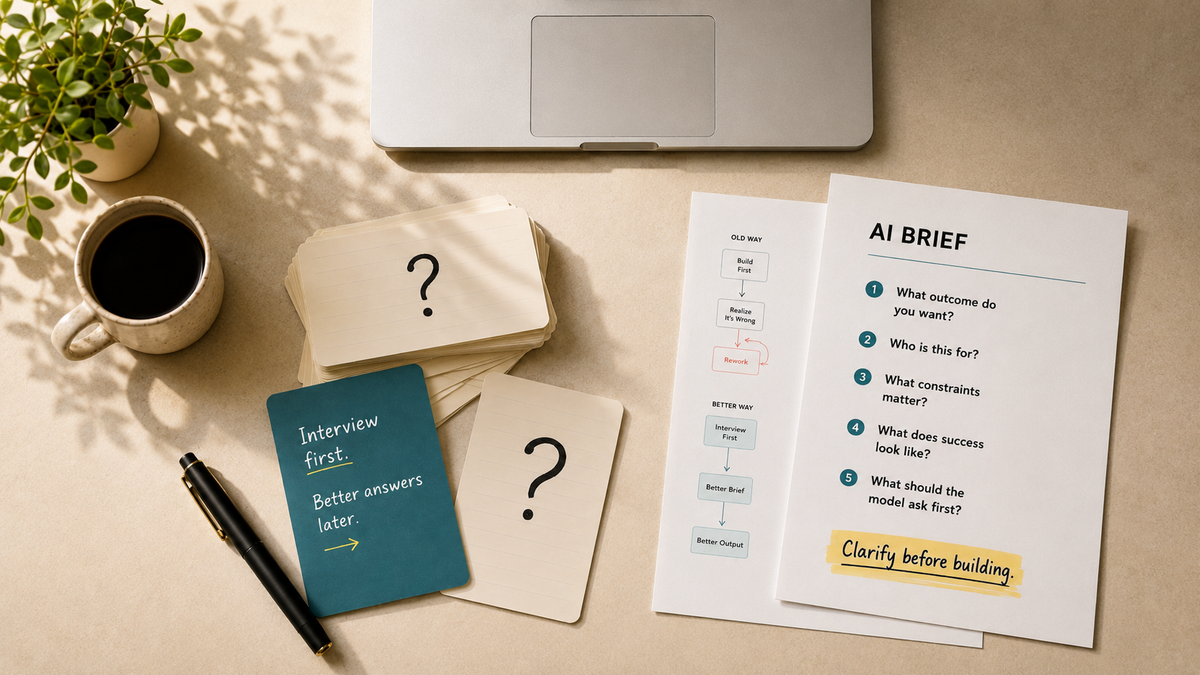
I want to share something super simple that I’ve been playing around with recently that has improved my experience with AI. I’ve started ending my prompts with “ask me clarifying questions first.” The model interviews you before it answers or builds anything.
I’ve noticed I don’t feel as drained using AI, and I’m more confident in the answers I get back.
I used to worry my prompts weren't good enough, so the answers wouldn't be either. You've probably felt the same, which is why so many of us got into the habit of asking AI to write the prompt for us. You get a spew of words back, run it, and find the results don’t quite fit. You've added a step and gained nothing.
If you don’t ask, you don’t get
When you ask for questions first, the model surfaces the tradeoffs upfront, while they're still cheap to change, not after you've opened the spreadsheet and realised it built the wrong thing.
When you have an idea for something you don’t really know all the details, it’s only when someone asks you questions about it that you refine it more, which is what we’re doing here.
The questions come back one of two ways. As a list in the reply, or, in Claude, usually through a built-in tool called AskUserQuestion that renders as tappable options (which you would have come across if you’ve used Claude before). Note you don't need to name the tool. "Ask me anything to clarify" works just as well.
Below are two examples with screenshots of how I’ve used this.
Example one: building a skill
I wanted to create a general purpose Claude skill for spreadsheets to be designed in the theme for my company ( I use AI often to help create and edit spreadsheets and I didn’t like the generic spreadsheets the AI would generate or the charts it would create).
“Help me create a skill based on the tg theme (used in /together-group-slides and /tg-docx). I want to be able to use it in claude for excel, when i need to create ad hoc dashboards and etc
Ask me anything to clarify using AskUserQuestion”
That last sentence is what I’m talking about here.
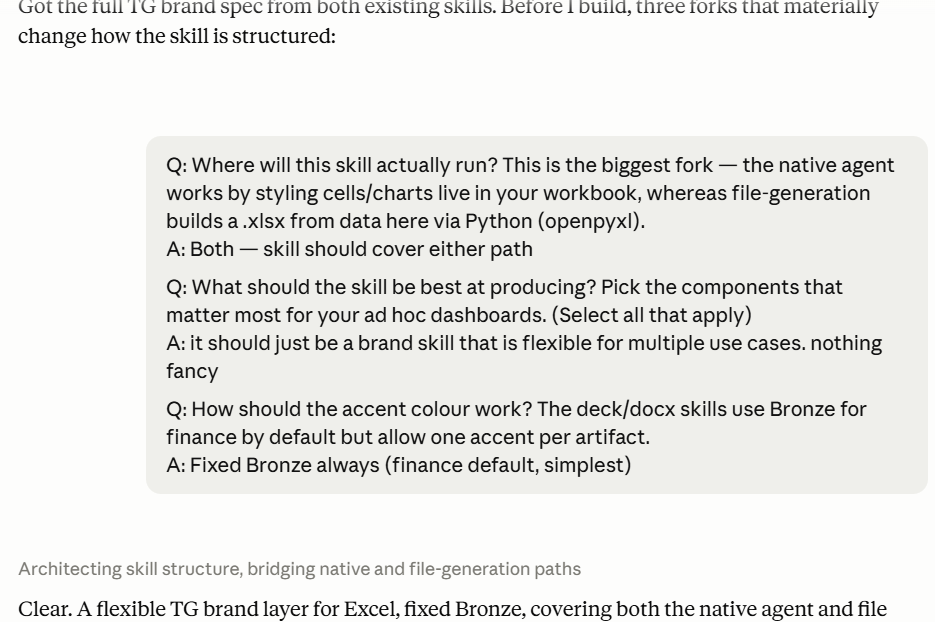
Claude then asked me questions about if it's just for Claude for Excel or also when I generate files using Claude generally (both), its scope (general purpose and flexible) and the colors.
I then got a Skill file back, which I can say after using it multiple times, it works like I want. I haven’t had to edit the Skill multiple times like with other Skills (I have a post on the basics of Skills here, and a simple framework to build good ones here).
Example two: building an interactive Claude Cowork dashboard
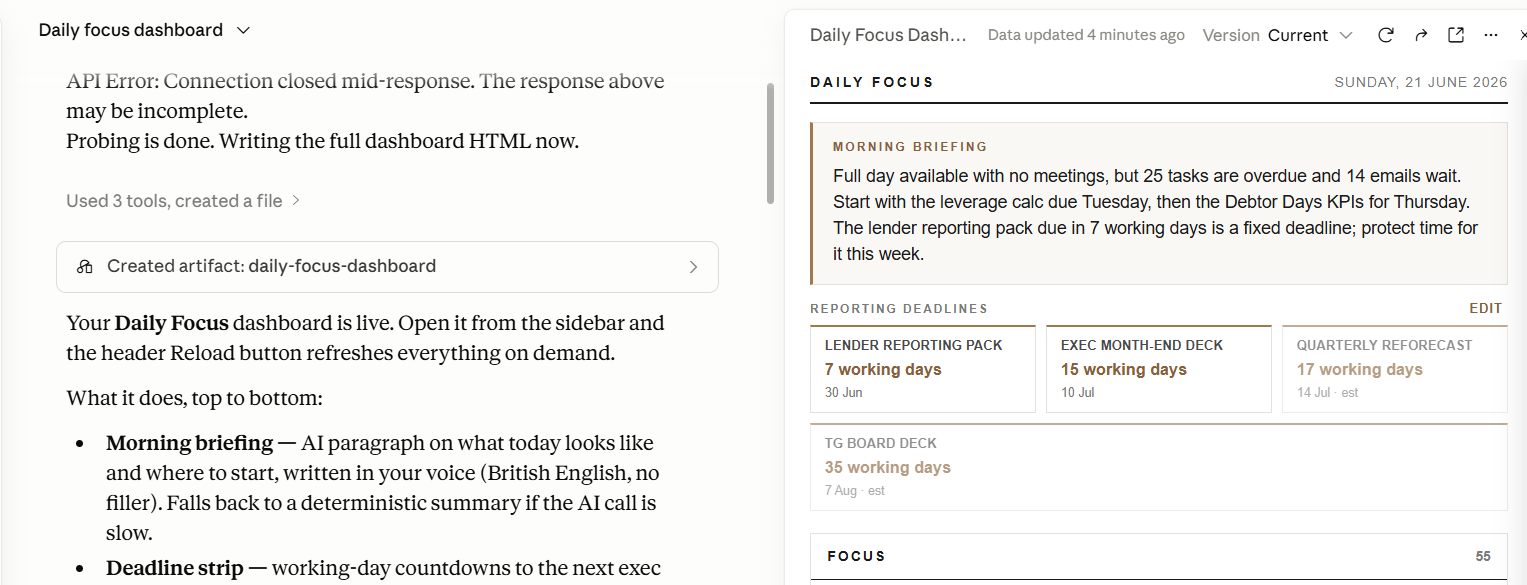
I built an interactive productivity dashboard that I use every morning to help me prioritise my day (while not specific to accounting and finance, I really like how AI lets us explore domains we have minimal experience in).
I documented the process in real-time end-to-end with the “Use AskUserQuestion” at the end of the initial prompt. Again, you don’t have to specify AskUserQuestion and can just say “ask me any questions to clarify.”
As you can see, I built out a brief first for the dashboard in Chat. Then I fed that to Cowork to build.
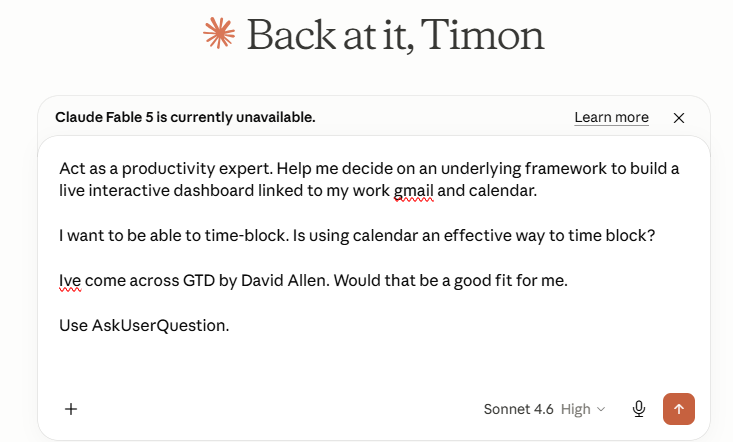
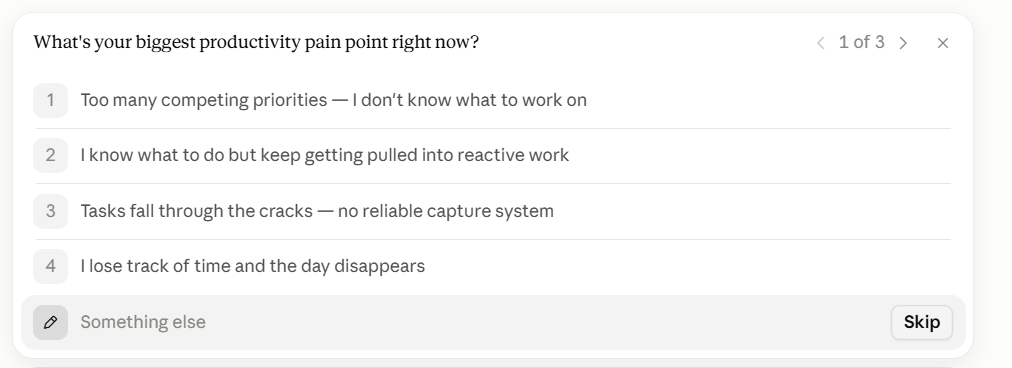
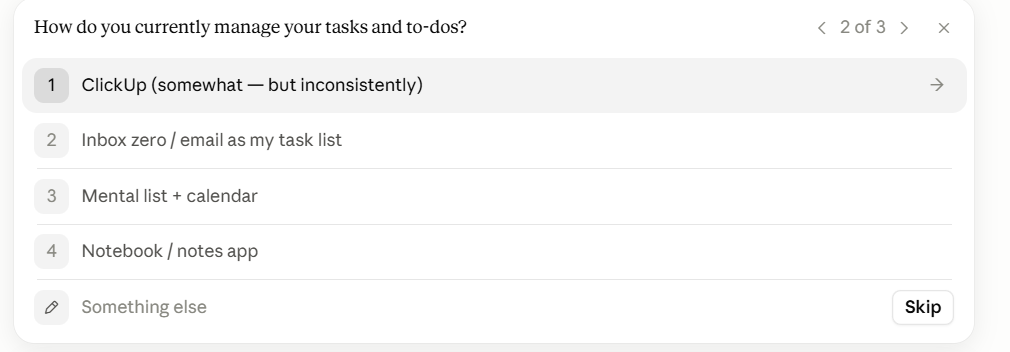
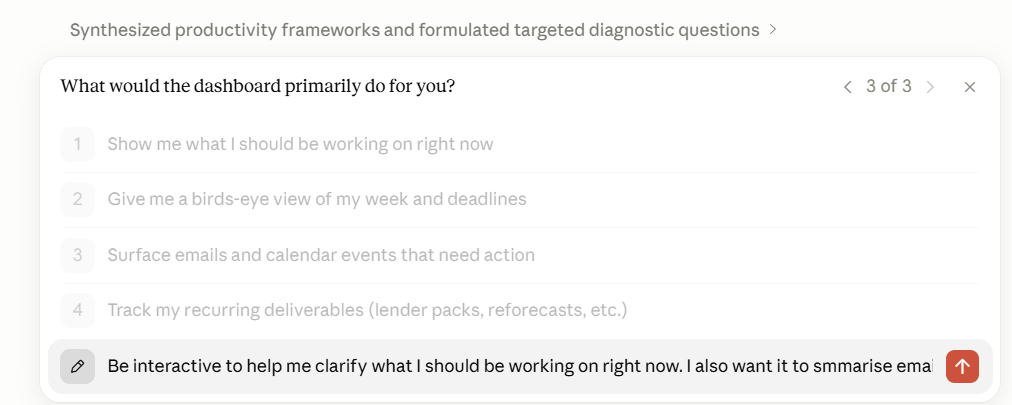
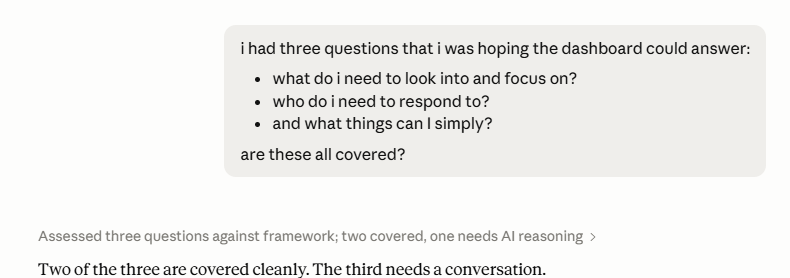
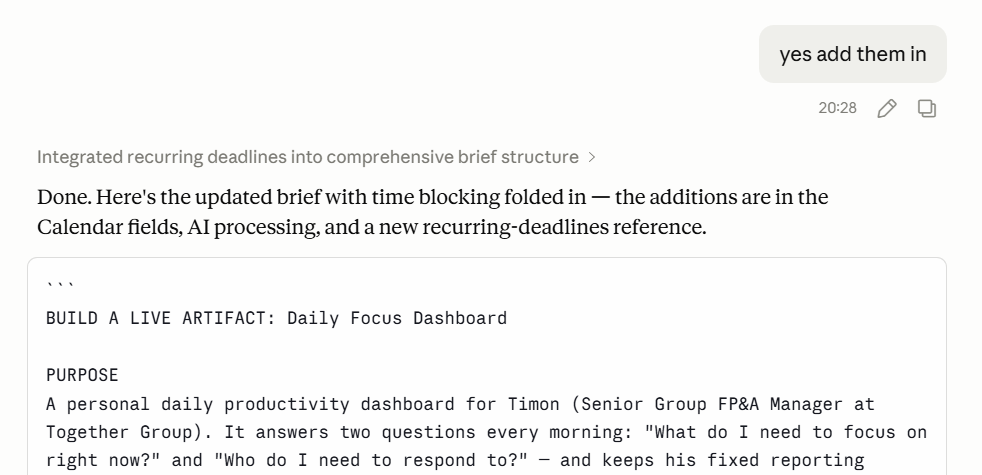
The brief is done and now Cowork builds it.
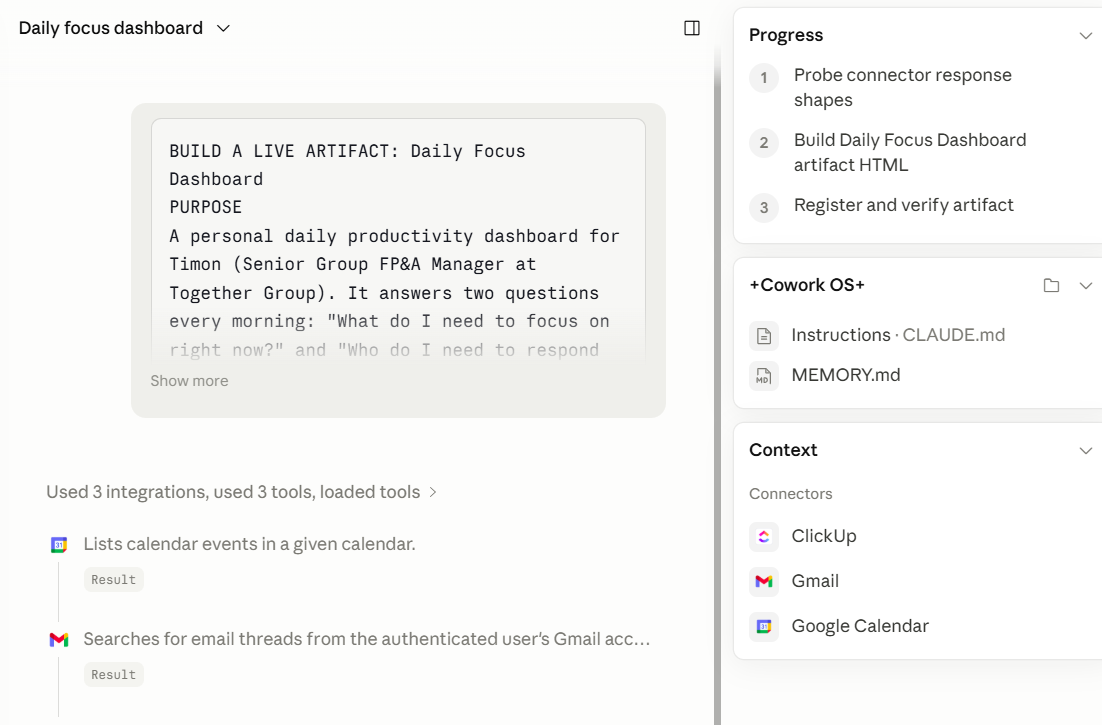
The point isn't the dashboard. It's that the brief was good because the questions made it good, before any building started.
Note: on a trivial task, the questions are friction. If you already know exactly what you want, just say it.
The power of questions
The move earns its keep when the task is fuzzy, the output takes real effort to produce, or a wrong guess costs you a rebuild. Variance commentary. A board pack draft. A forecast model. A new skill. I’ve noticed that two minutes of questions can save me twenty of rework.
Try it on the next thing you'd normally over-specify. Add the line, answer the questions, and see if the first output lands closer than usual. Let me know your thoughts - and results in the comments.