From Preparer to Reviewer: A Simple Framework for Building Claude & Codex SKILL.MD Files That Actually Work
Most skill.md files I've seen (including my early attempts) are mediocre. The difference between a skill you abandon after two runs and one you rely on every month comes down to how you build it. Here's the framework I use.


If you're not sure what AI skills are or why they matter for finance work, start with my explainer: Claude & Codex Skills (SKILL.MD) for Dummies: the Finance & Accounting Edition.
This post assumes you know the basics. You know a skill is a reusable instruction file. You know it saves you from re-explaining your review process or how you like slides done every time you open a new chat. The question is: how do you build one that's actually good?
Most skills I've seen (including my early attempts) are mediocre. They produce outputs that are close enough to be frustrating but not good enough to use. The difference between a skill you abandon after two runs and one you rely on every month comes down to how you build it. Here's the framework I use.
The "Backwards Design" Framework
Two principles.
Start with the output, not the process. Don't think about what steps the AI should take. Think about what the finished product looks like. A board-ready slide deck. An intercompany reconciliation with exceptions flagged. A standup message posted to Teams with wins, blockers, and priorities. Define that end state first, then work backward to the inputs and steps needed to get there.
Show it what good looks like. Give the AI examples of outputs you were happy with. A slide deck that landed well with the board. A variance analysis in the format your manager prefers. A reconciliation template you've refined over six months. In my experience, this matters more than how carefully you write the instructions. The AI learns more from one strong example than from three paragraphs of description.
The 4-Step Skill Building Loop
Here's the process I follow every time I build a new skill.
1. Map your process with an AI interview. Open a fresh chat (Chat not Cowork or Codex) and ask Claude or your AI tool of choice to interview you about the process.
Just see my example below on how to do this:
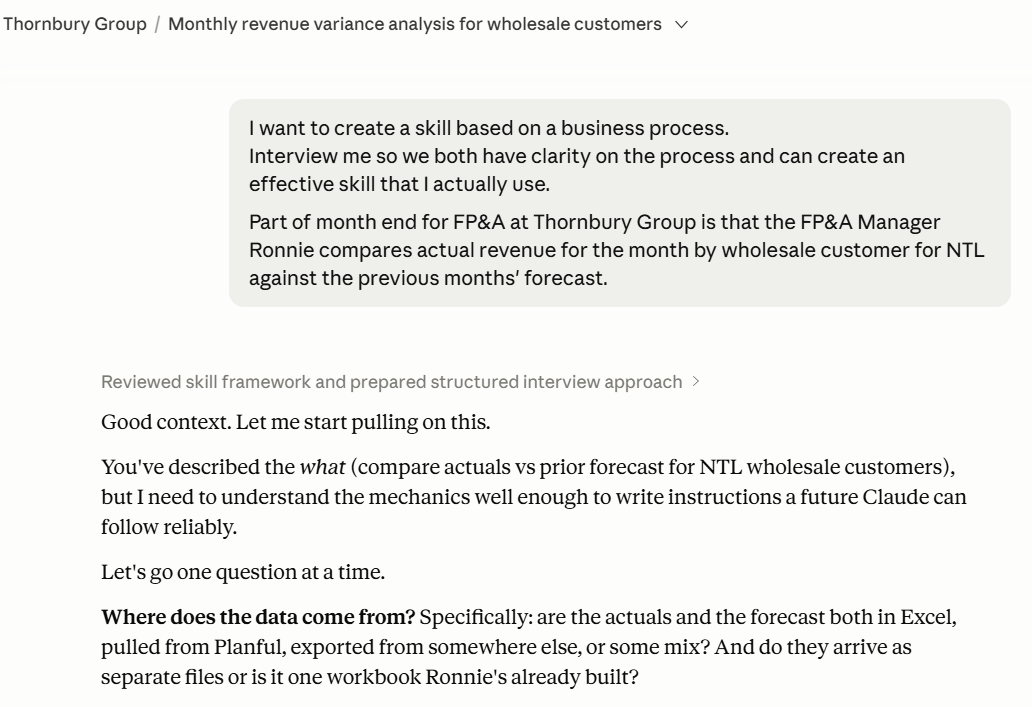
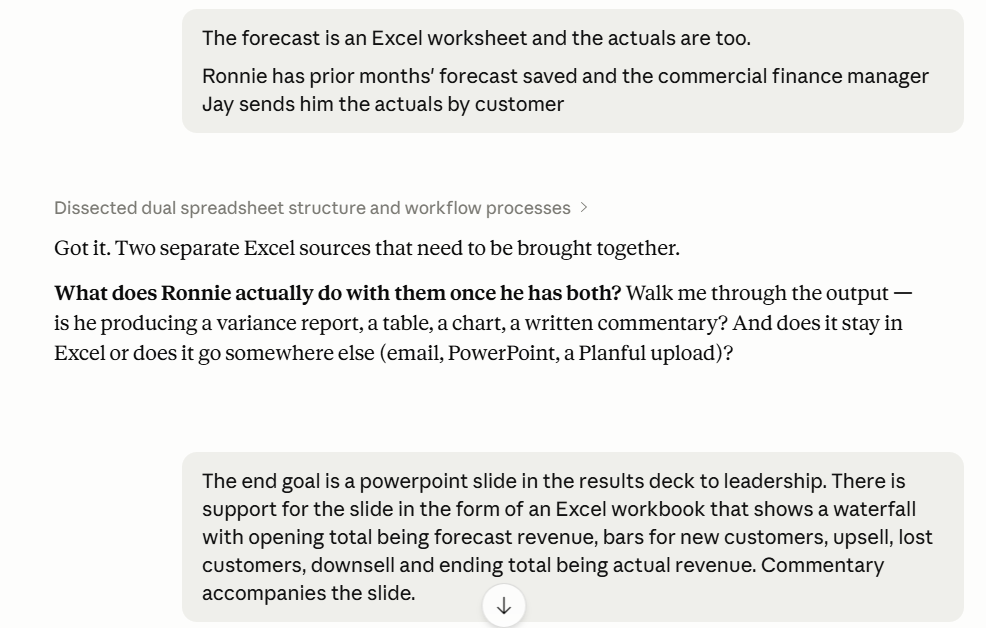
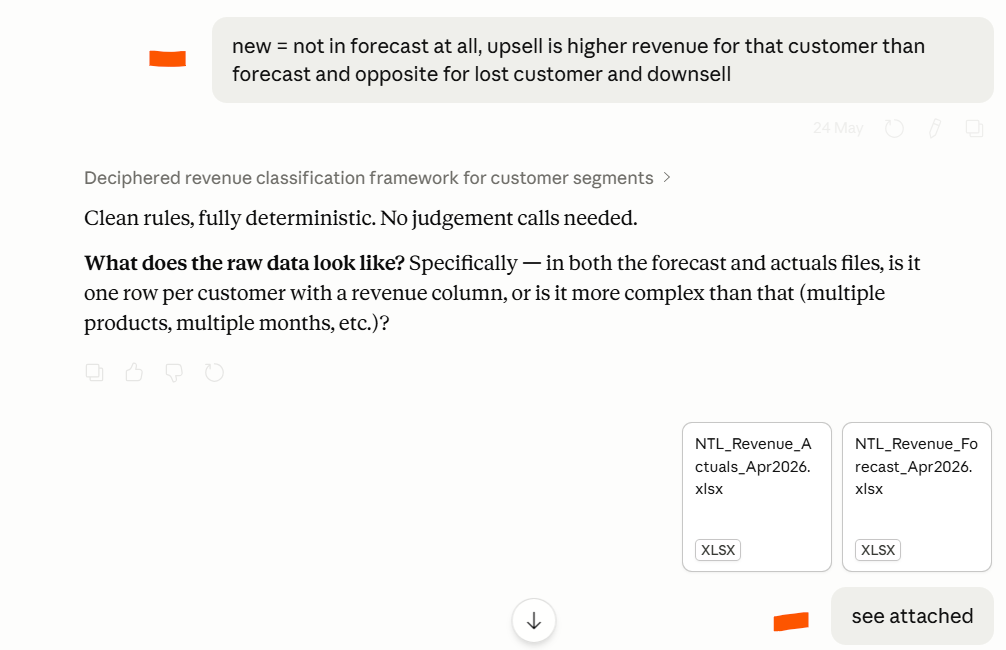
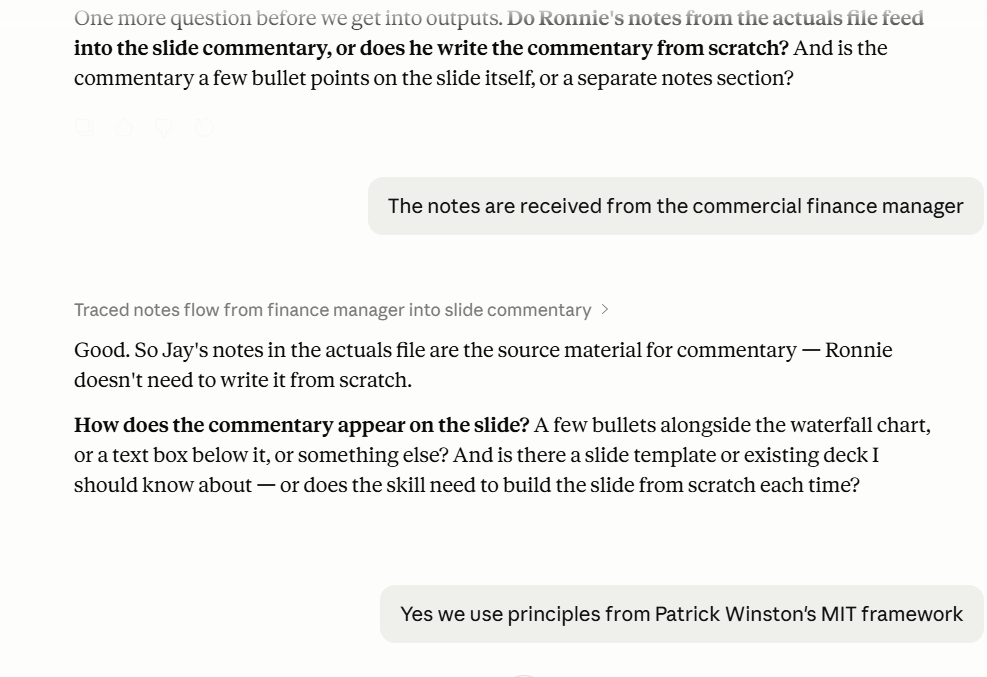
Mention to the AI if the inputs or tasks are dynamic i.e. they regularly change period to period, for example, the structure of the Excel files changes.
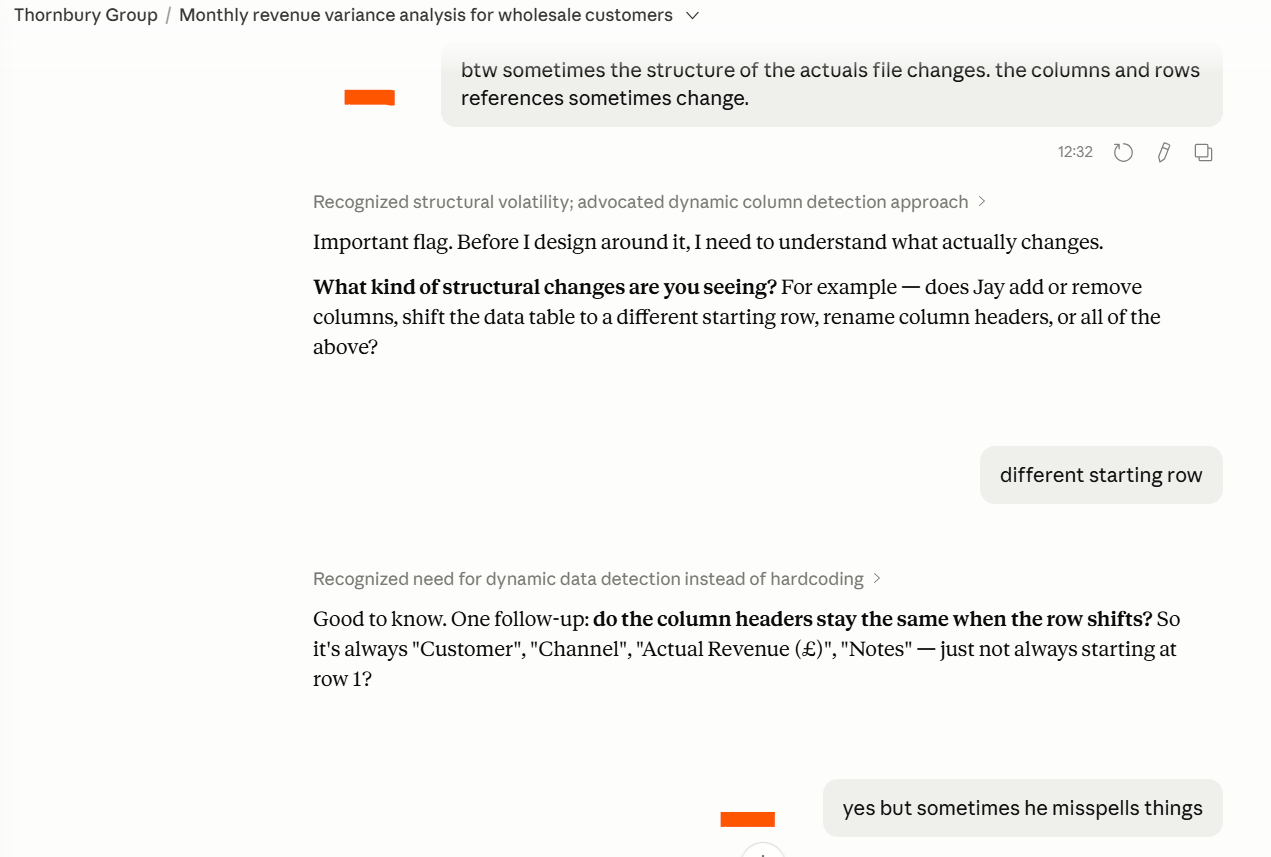
I find this exercise is great because it makes you think about what you actually do. I’ve found I end up identifying gaps and things I could do more efficiently.
2. Iterate until you’re happy with the end output. Iterate until the output is something you'd actually send to your manager or present to stakeholders. The easiest starting point is to have a a manual output you're 100% happy with to use as the example.
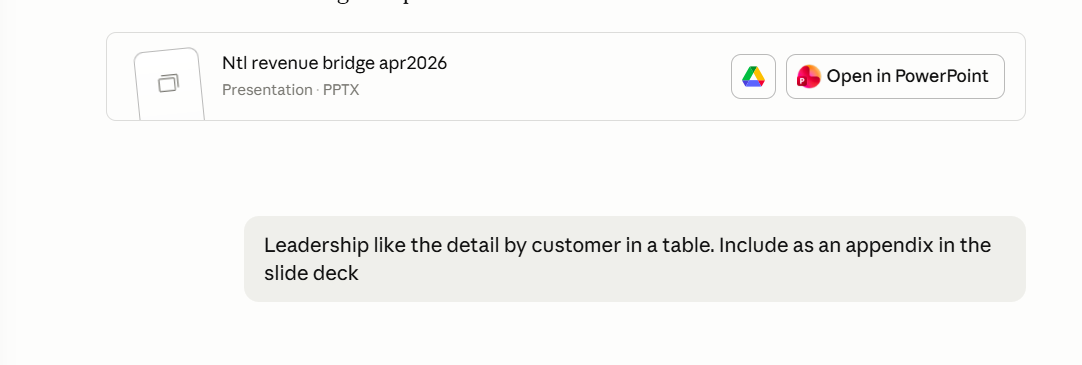
3. Capture it as a skill. Once you have a successful session, ask the AI to build the skill (sometimes it will do it by itself if it senses it has enough to go on). The AI tool has a built-in skill creator to create a permanent skill file. The skill creator pulls out the instructions, references, and structure from your session and packages them into a SKILL.md file.
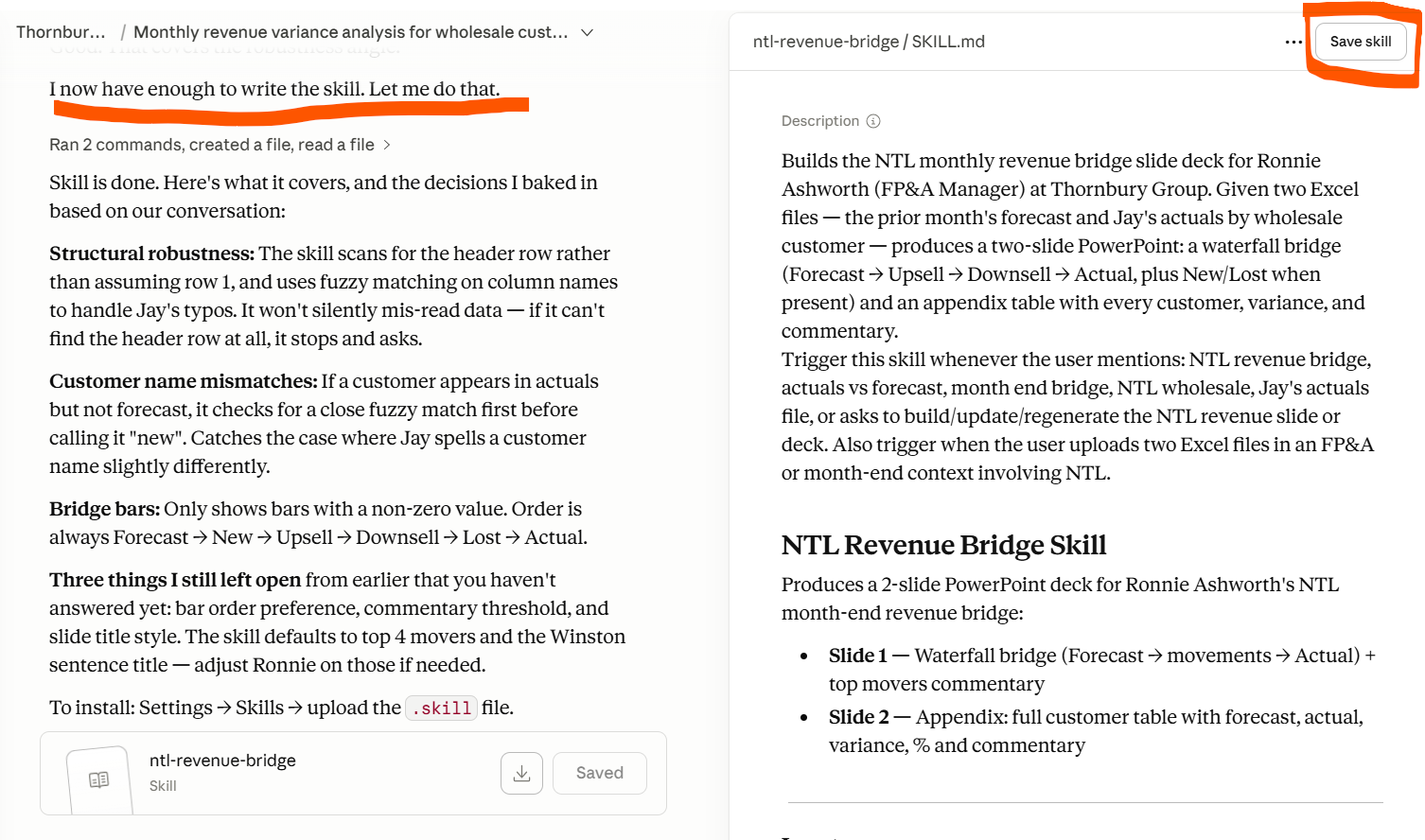
4. Patch surgically. When the skill makes a mistake (and it will), don't rewrite the whole thing. Add a specific rule that prevents that exact mistake.
For example, when I built a PowerPoint skill for work, the output kept adding underlines to slide title headers. I opened a chat, told Claude to remove the underline formatting rule from the skill, and keep everything else the same. It took 30 seconds.
If you weren’t feeling the above here’s a 50-second walkthrough from Claude.
How To Use Them
Now, every month, Ronnie the FP&A Manager can run this skill when he uploads the actuals and forecast Excel files in a chat or in a Project or folder on his desktop he points Cowork to. He just says “run NTL bridge” or types “/”, which will bring up a list of all skills he has access to (or just type /ntl-revenue-bridge; autofills).
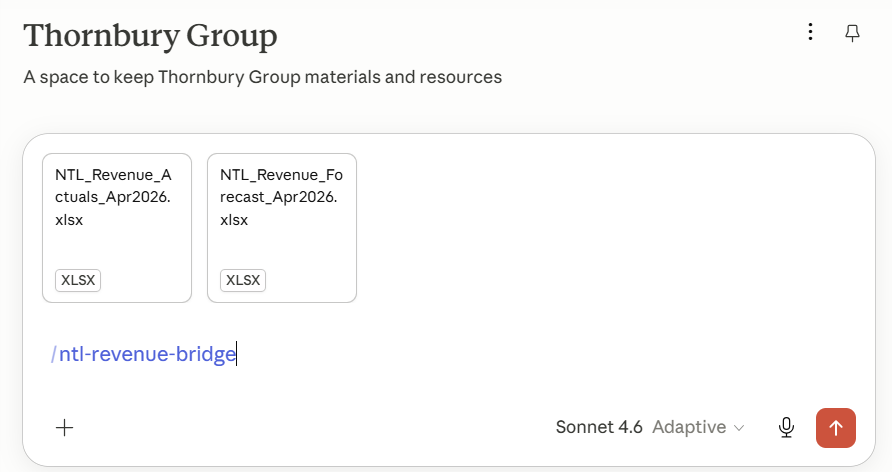
The waterfall, commentary and slides come out in the right format, in the right colours, with the right structure. He reviews it, makes minor tweaks if needed, and appends it to the month-end results deck for leadership. That's the shift from preparer to reviewer.
What Else Could You Build?
The board deck is one example, but the same framework works for anything repeatable. A few ideas for finance and accounting:
Submission review. If you’re in Group, build a skill that reviews submission files from subsidiary finance teams against your evaluation criteria. Even better if you already have a checklist. Use binary criteria ("Does the project breakdown total reconcile to the GL within $10k? Yes/No") to remove subjectivity from the review.
Month-end prep memo. Create a skill that generates a preparation memo based on prior months' meeting transcripts, presentations, and workbooks loaded into a Claude Project. Define the output format you want and teach the AI to replicate it.
Contract review. For you commercial finance folk. An example of this skill can be found in the Small Business Claude plugin. You tailor it to act as a legal assistant reviewing contracts against criteria you have. You specify the output i.e. summary in Word, Excel, an email, Teams message etc.
I’ve built a variation of each of these that I use regularly. For more inspiration read my 5 minute intro article I mentioned at the beginning.
How to Spot What Should Become a Skill
Three questions:
Is it repeatable? If you're only doing this once, a regular prompt is fine. Skills are for recurring tasks.
Is consistency critical? Skills matter most when you need the same approach every time without re-explaining your standards. Board decks, reconciliations, and compliance reviews all qualify.
Does it need specific references? Templates, brand files, checklists, or example outputs. If the task requires these to be done right, a skill ensures the AI always uses them.
If you answer yes to all three, build a skill.
One more thing that's worked for me: at the end of any session where the output was good, ask Claude to review your recent work and suggest what could become a reusable skill. You'll be surprised how many repeatable patterns are hiding in tasks you assumed were one-offs.
Start With One
Pick one task you do every month. Or ask AI to review what you’ve been asking it to give you suggestions. Run through the four steps. That's your first skill.
Share what you’ve built below. If you want help mapping a specific process or help optimising your workflows that use AI, reach out to me directly or in the comments below.
Timon