Claude & Codex Skills (SKILL.MD) for Dummies: the Finance & Accounting Edition
Skills (SKILL.md files) turn one-off prompts into reusable workflows that follow your standards every time. Here's what they are, what they look like, and why finance professionals should pay attention.


If you've been using Claude or ChatGPT for work, you've probably noticed the same problem I did. Every new chat starts from zero. The AI doesn't know your chart of accounts, your reporting format, your brand colours, or the way your manager likes the board pack structured. So you explain it. Again. Maybe you’re created a Project to keep your context but that means you can only work in that Project. You sacrifice flexibility.
Skills fix this.
The Short Version
A skill is a reusable instruction file that tells the AI how to do a specific task your way. Your formatting preferences, your templates, your quality standards, your unique workflows. You write it once. The AI reads it every time the task comes up and follows your rules instead of guessing.
If you've ever on boarded a new team member, you already understand the concept. You don't explain the month-end process from memory each time someone joins. You point them to the procedures manual (assuming you have one 😅), hand them example reports, and let them get on with it. A skill is that manual, written for AI instead of a person.
An analogy I heard a while back that resonated with me is to think of them like recipes, the AI is the chef and the kitchen is the ecosystem the AI operates in with its live connections to your Gmail, Slack, Teams etc.
What Does a Skill Actually Look Like?
At its core, a skill is a markdown file (a type of text file, usually called SKILL.md) that lives inside your AI workspace. It contains instructions the AI reads before doing the task. Here's what the structure typically includes:
- A trigger description that tells the AI when to use this skill (e.g., "use this skill whenever I ask for a board deck or quarterly presentation")
- Step-by-step instructions for how to produce the output
- Reference files like brand guidelines, templates, example outputs, or checklists that the AI should follow
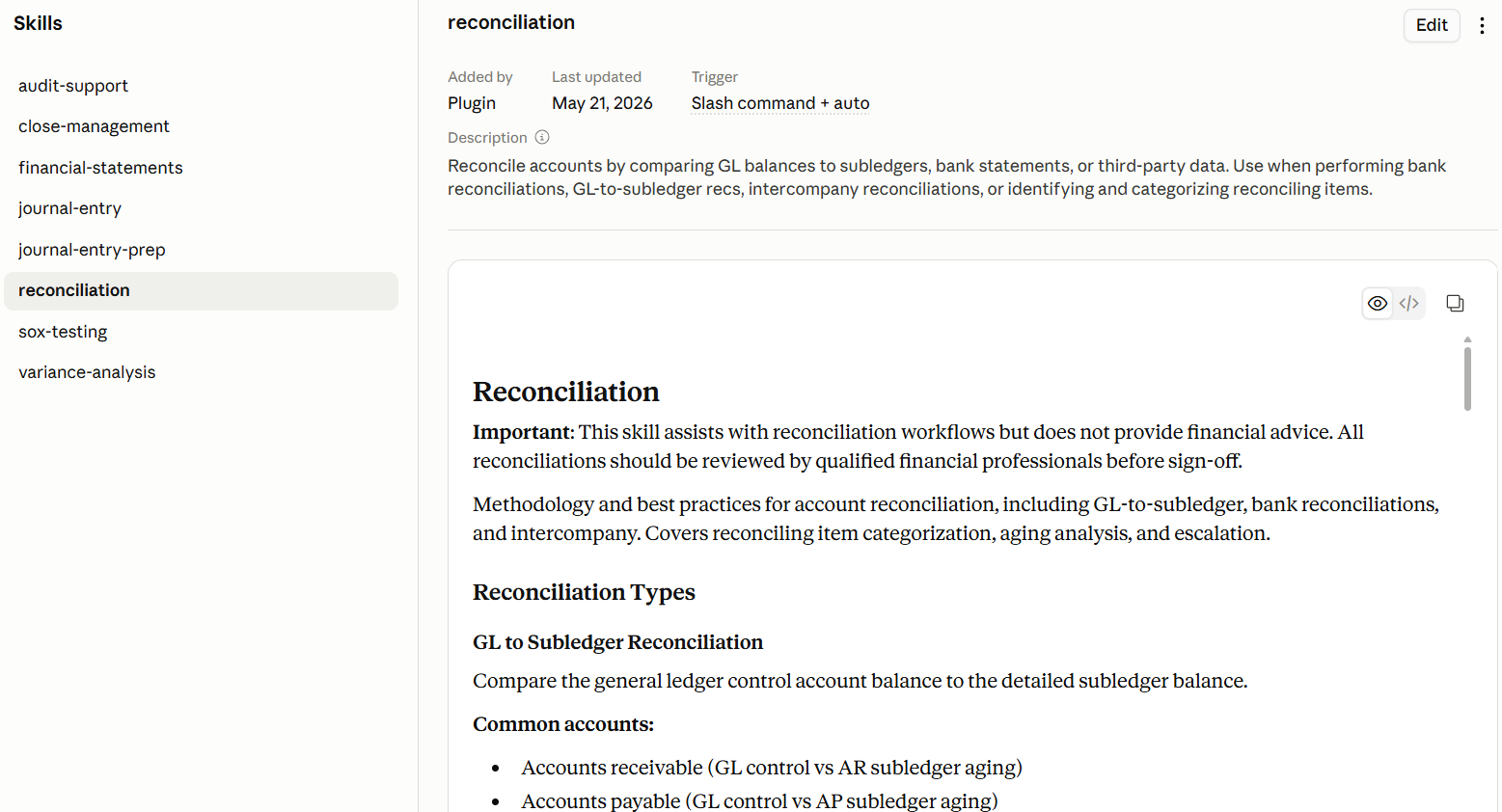
Here's a real example. This is one of the suite of skills included in the Finance plugin in Claude (more on that below):
And here's one I created to generate board deck slides in Thornbury Group's brand theme:
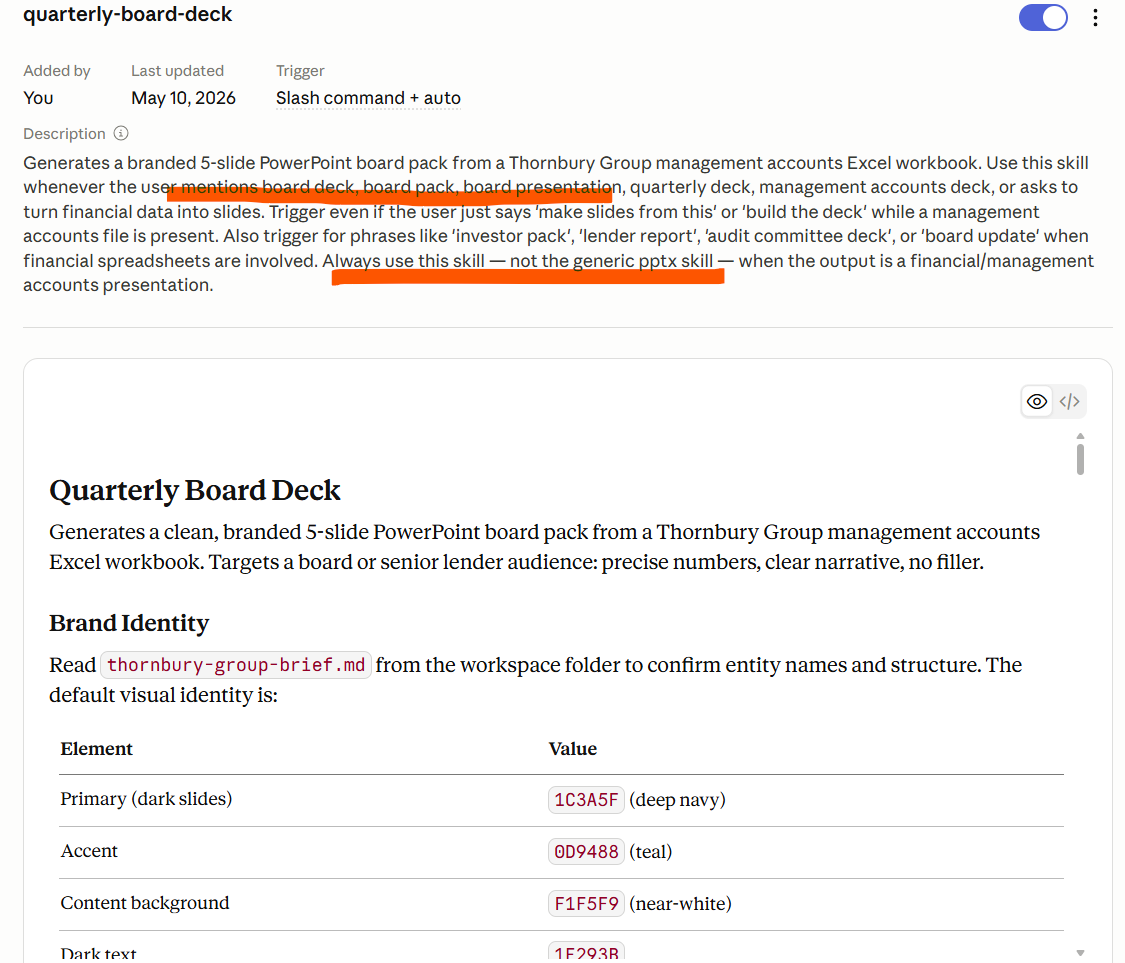
Notice the trigger description at the top. It tells the AI to always use this skill for board decks instead of its generic PowerPoint default. That's important. Without it, the AI uses its built-in formatting, which is fine for a one-off but useless if you need consistency.
Here's a good illustration from Claude's documentation showing what can go into a skill file. Notice it can include Python scripts for Excel automation, brand assets, logos, and templates alongside the written instructions.
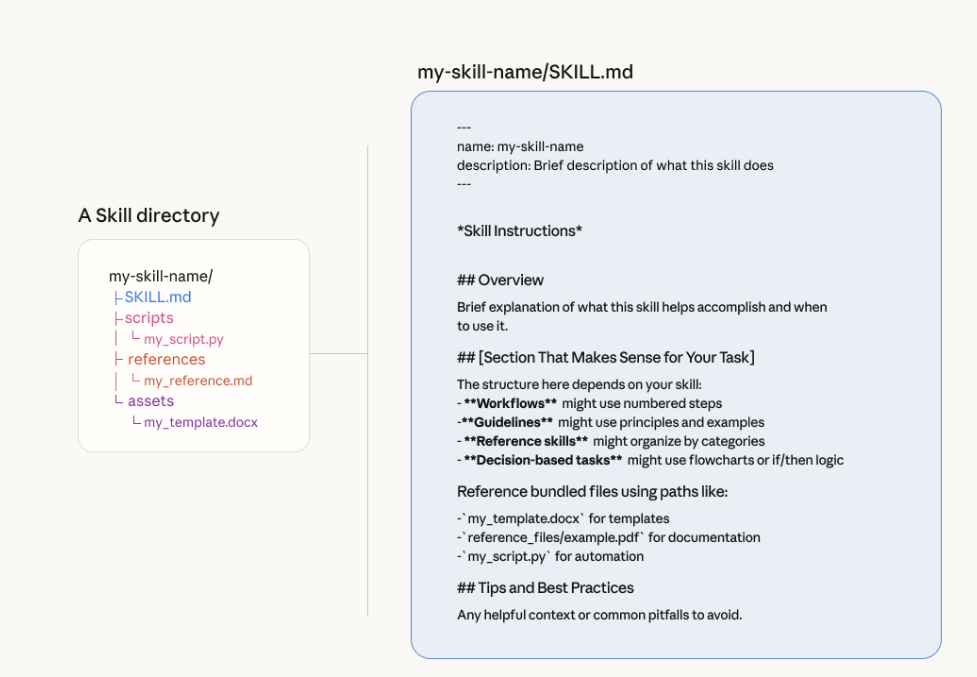
Source: https://claude.com/resources/tutorials/how-to-create-a-skill-with-claude-through-conversation
Where Do Skills Exist?
Claude Code popularised use but the idea has spread. Here's where you'll find them:
- Claude (Cowork and Projects)
- ChatGPT Enterprise / Codex
- Microsoft Copilot Cowork
The framework is the same across all three. Write clear instructions, attach reference files, tell the AI when to use them. The syntax varies slightly, but the thinking doesn't.
Why This Matters for You
You might be thinking this sounds useful but not urgent. Fair. Let me tell you why I think it's one of the most valuable things you can do with AI right now, specifically in finance and accounting.
Your work is highly repeatable. Month-end close, board packs, variance analysis, reconciliations. You do these tasks on a predictable cycle with consistent formats. That's exactly what skills are designed for.
Consistency is non-negotiable. I get it, we’re bean counters and Excel nerds not designers but when your slides look like they’ve been through a washing machine it damages the message. A skill enforces your standards every time without you having to remember them.
Your standards are specific. The waterfall from budget to actuals you create has a specific format of bars and colour scheme. Each bridge item has a methodology. Generic AI outputs aren't good enough. Skills let you encode exactly what "good" looks like for your context.
It changes your role. This is the part I think matters most. Without skills, you're still the preparer (or your direct report is, ha). You feed data in, explain context, and check every output line by line. With a well-built skill, you become the reviewer. The AI prepares the first draft using your rules. You verify, adjust, and sign off. I think that’s a better use of our time 👍 .
The Finance and Small Business Plugins
Worth a quick mention: Claude has a plethora of publicly available Plugins, including Finance and Small Business ones. Plugins are just a collection of pre-built skills and connectors designed for workflows. For example, the Finance one includes skills for reconciliation, analysis, and reporting that you can download and tailor to your company.
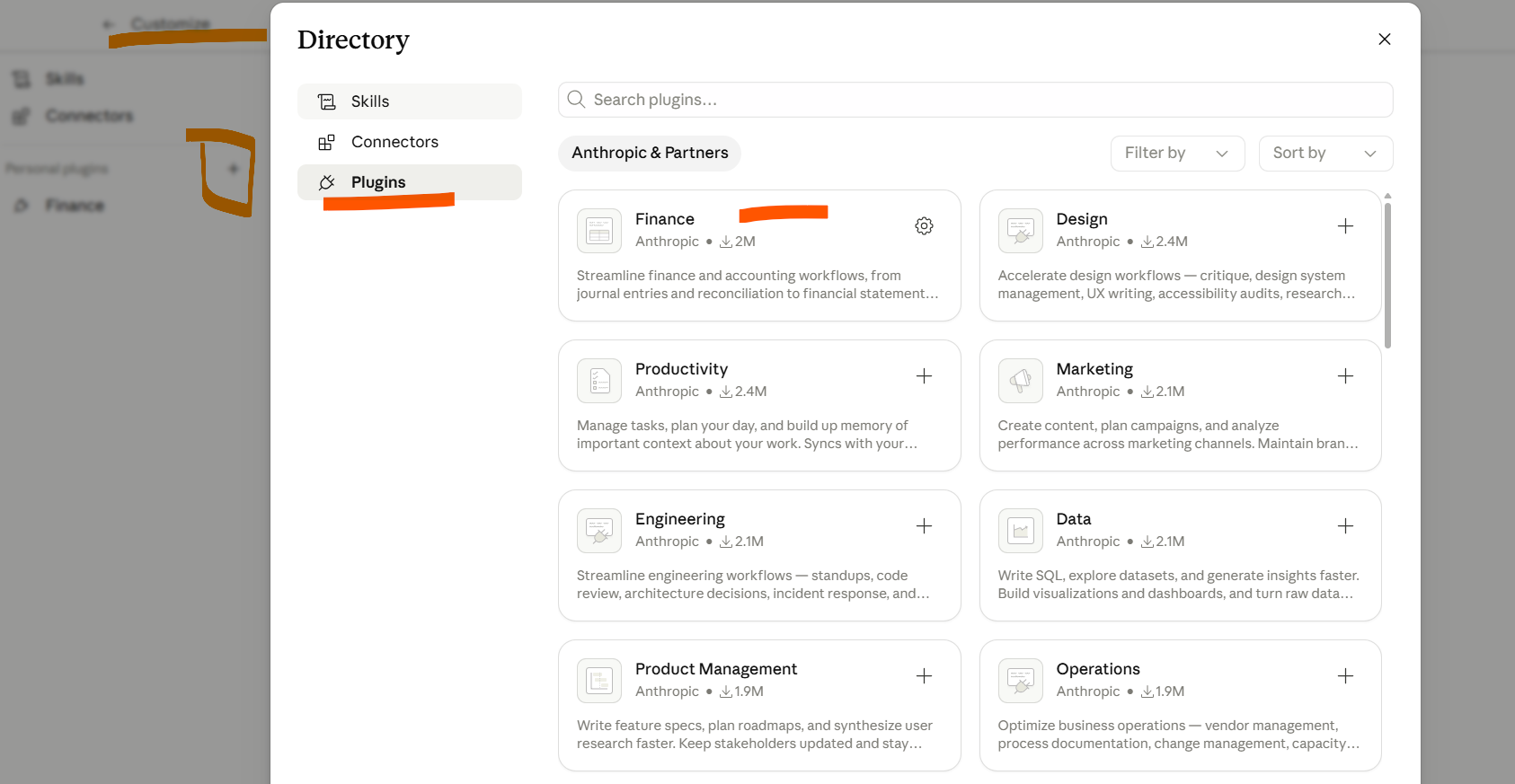
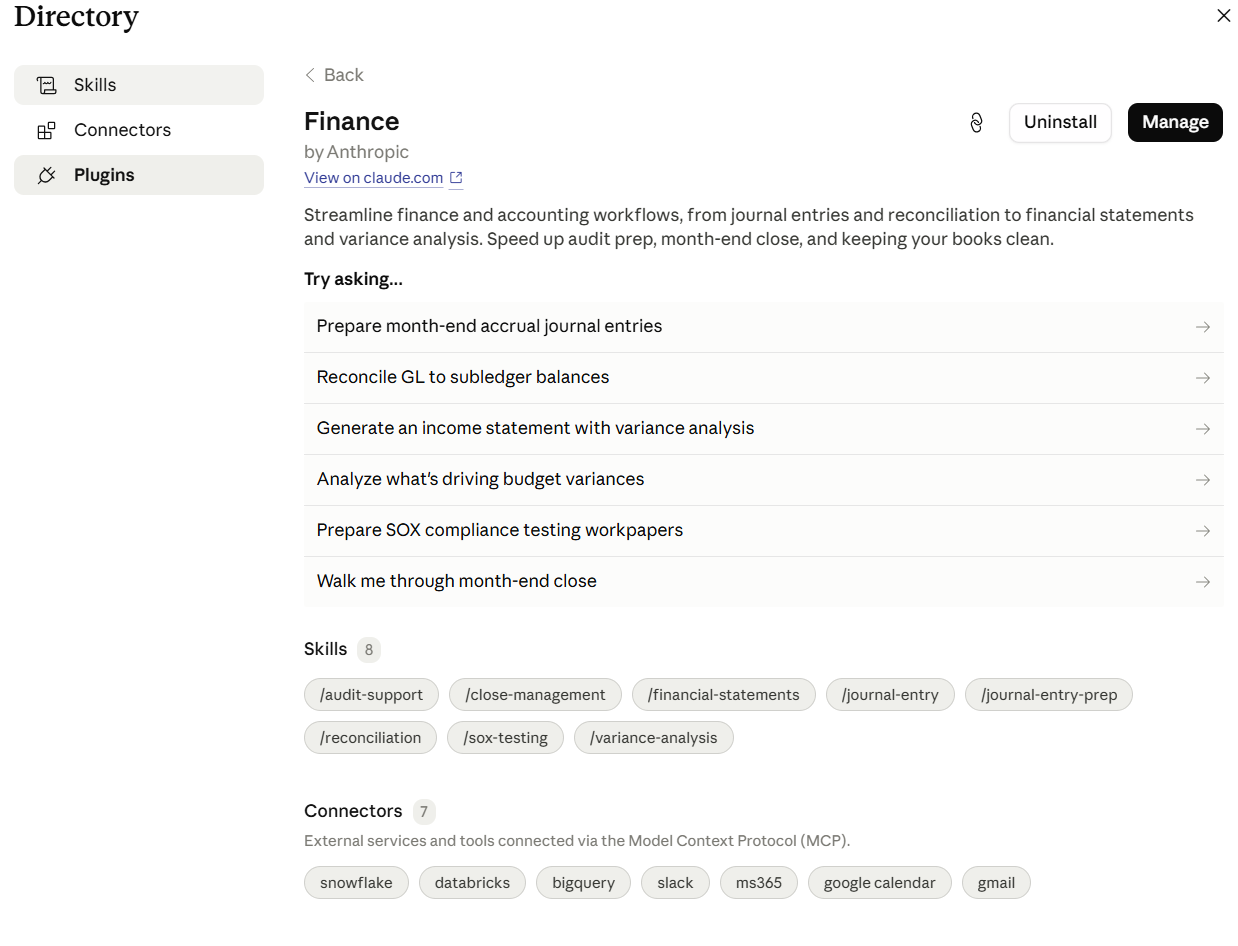
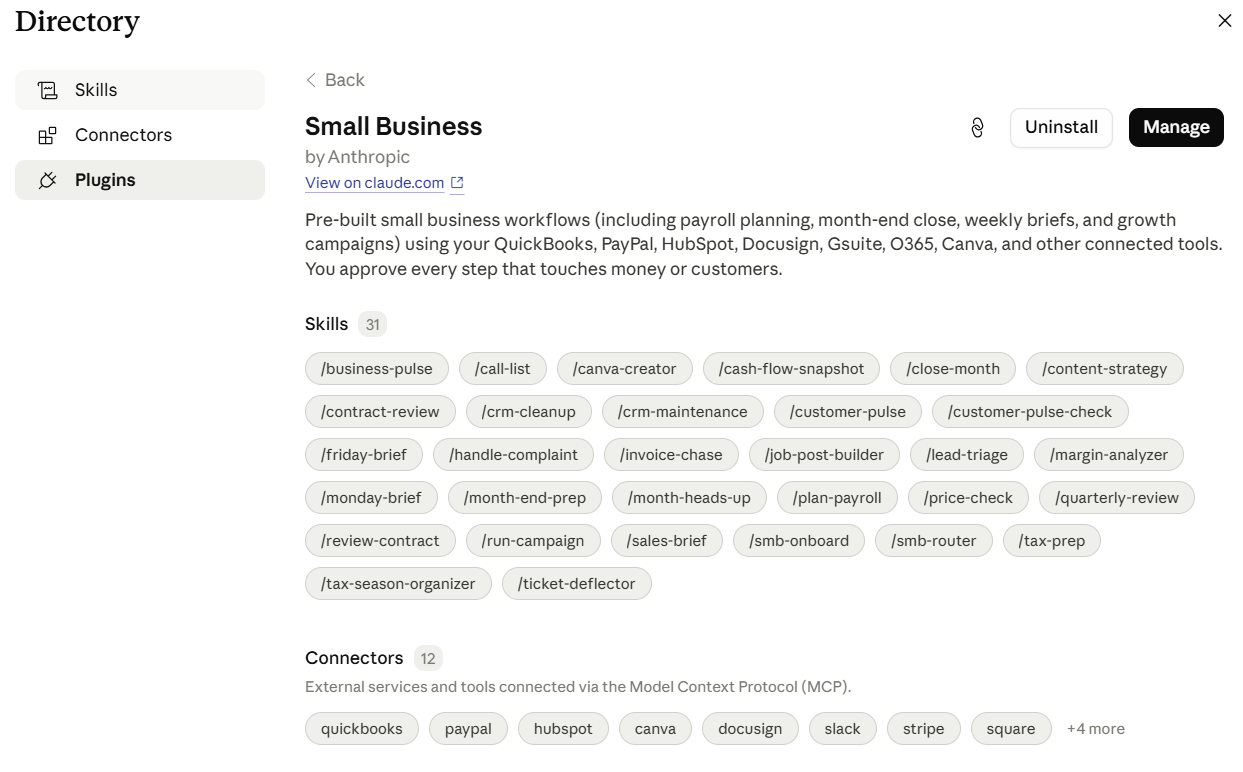
I'd recommend downloading them and reading through the skill files even if you don't use them as-is. They're well-structured examples of what a good skill looks like, and they'll give you ideas for your own.
What Can You Actually Build?
To make this concrete, here are some skills that are genuinely useful for finance and accounting work:
Board deck generator. Upload a management accounts workbook, get a branded slide deck in your company's format. I built one for Thornbury Group that produces a 5-slide deck from an Excel file, every quarter, in the right colours with the right chart types.
Reconciliation preparer. Compare GL balances to subledgers or bank statements. Flag exceptions. Produce a summary with matched and unmatched items. The Finance Plugin includes a version of this.
Variance analysis. Assists in drafting variance analysis to leadership by creating waterfall charts and decomposing budget/reforecast variances vs. actuals by drivers.
Month-end prep memo. Generate a preparation checklist or briefing note based on prior months' context, meeting notes, and outstanding items.
I’ve built a variation of all of these and use them regularly in my work (FP&A). The common thread is they're all repeatable, format-sensitive, and benefit from having reference materials baked in.
Getting Started
If you're ready to try building one, I've written a separate post on the simple framework I use:
It covers the step-by-step process, including a method for mapping your workflows and a detailed walkthrough of how I built effective skills that actually work.
But if you just want to get your feet wet, start here:
- Open your work Claude (or the AI tool you use at work)
- Ask it to review your chat history for potential skills; things you have done more than once where you provided instructions and needed in a specific format
- Review and pick one task or process
- Ask Claude to turn it into a skill
Timon