Smarter model or more effort? A finance guide to picking AI settings
How I pick between a smarter AI model and a higher effort setting, with real finance examples of when each one actually fixed the output

Pretend it’s not you, but we all know that colleague who hit their Claude usage limit by Wednesday and had to ask IT to give them more credit.
If that's never happened to you, this definitely has: you spend time laying out your task in the chat, you click the go-arrow and rub your hands together thinking you're about to get something wonderful you can impress your boss with. The output sucks and you're annoyed. You either give up (and think "yea, AI is a bubble") or you end up battling with it, which just drains you mentally.
I realised that a lot of these problems stem from not knowing what model and effort level combo to use.
Then I stumbled on a genuinely useful article from Anthropic’s development team that solved this for me. I wanted to translate it to non-developer speak, specific to people working in finance and share the insights below.
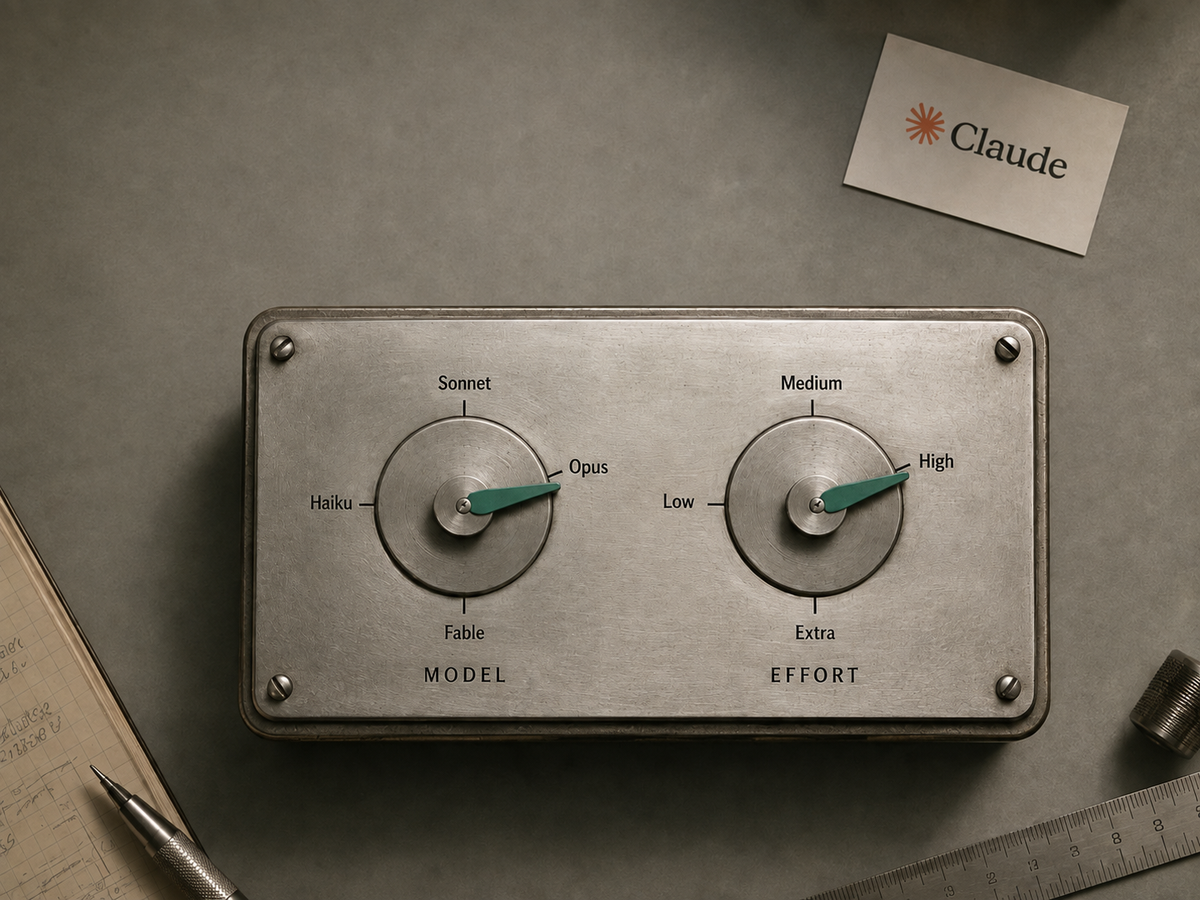
What the two dials actually do: Model and effort
Model selection determines the intelligence and general knowledge available to the system.
Effort level controls the volume of work the AI performs, including how many files it reads, how much it verifies, and how many steps it takes in a task before reporting back. It is an input the model responds to, dictating how thorough or certain it must be before completion.
A "better" model at low effort is like an expert who only has five minutes to help you. They bring deep knowledge and can spot problems others miss, but they only have time for a quick read of the resources you have given them and the output they decide to give you back.
The article explains what's happening behind the scenes better than I can, so I won't repeat it here (via tokenization).
The practical takeaway I took from it is this: treat effort as a general preference based on the kind of work you do, not a task-by-task decision. That matches my experience, and the examples below show how I landed there.
First, check what you actually gave it
Before you blame the model or the settings, check the context. When researching for this article I had Claude audit my last 30 Cowork sessions (side note: I recommend you do these types of audits regularly to see what you’re actually using AI on and to see what you can turn into reusable skills, more on that at the end).
What the audit found was that most of my sessions with a bad outcome traced back to poor context, not the wrong model or enough effort.
This is the bit that saves the most usage and more importantly, time. Fix the vague prompt, attach the correct files, and show examples of the output format you want, and you’ll eliminate a lot of those "AI really is a bubble" moments.
Good context comes down to:
- Specific instructions in the prompt including properly scoping the task
- Ensuring Claude has access to the right reference files
- Examples of what good looks like
My bad context example
I was building a workbook showing organic vs non-organic growth for the Group.
I had collated all the different data sources and I got back what I initially thought was a great workbook that had everything I wanted.
Then I reviewed the output data (I cannot emphasise the review step enough) and realised some customer lines were actually revenue with other agencies in the Group, which should have been treated as intercompany. I never told Claude that.
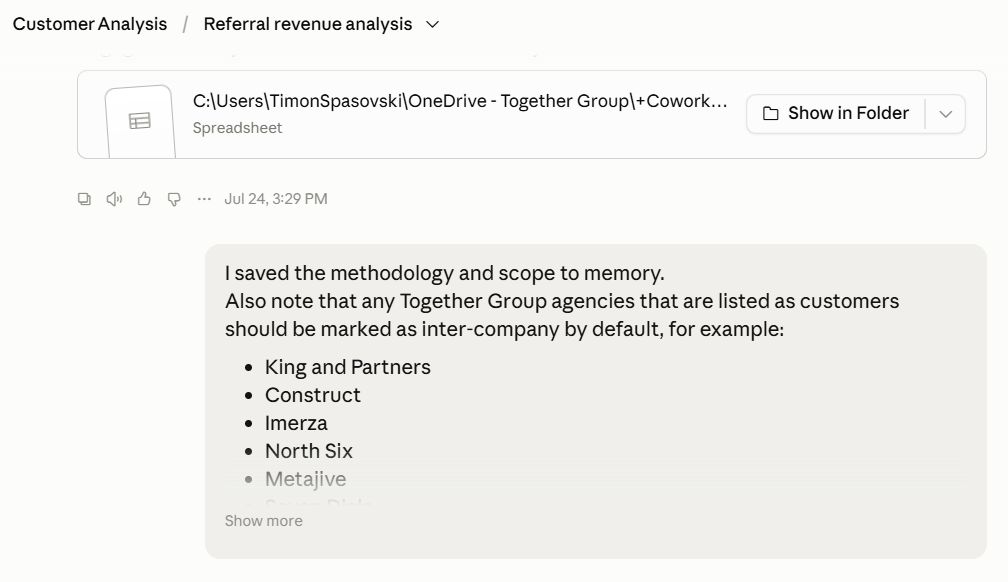
What I should have done was give it that convention as context at the start.
You wouldn’t let a colleague start a piece of work without telling them what they needed to know.
Give the AI the scope and background info it needs. Claude had no way to infer my agency intercompany convention. Even the smartest model working at max effort wouldn’t have given me the correct workbook.
If your context was good and the output still wasn't, you're down to two possibilities: not enough effort, or not enough model.
Where more effort would have helped
The task: I have a Claude Artifact I use to generate nice looking charts too complicated for Excel. One of my chart that didn’t look right because extreme values at year end were skewing the scaling so I asked Claude at Opus 4.8 Medium to fix it via a new HTML chart
What I got back…
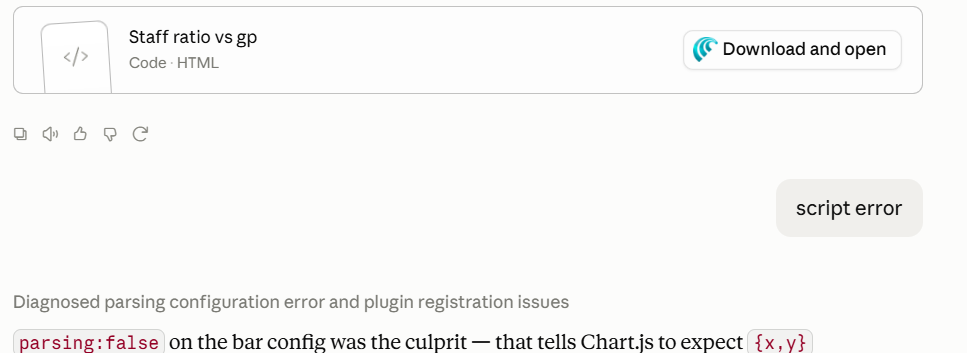
What the issue was: Claude didn’t go to the extra effort to check the code it wrote.
My follow up prompt to fix it after reviewing was: this one was a quick fix, I just had to call out that I was getting an error.
What I should have done: I should have used the default effort level of Opus 4.8: High,which I usually do but didn’t in this case for some reason.
The takeaway: use the default effort level for the model you’re using.
I did some research on common finance tasks where others have found Effort makes a difference on output quality and the theme was that the model gets comfortable with the big-ticket items and so stops. They mainly involve reconciliation type tasks.
Think reconciling an intercompany matrix across a dozen entities by counterparty and explaining every unmatched balance: at a lower effort setting, the risk is the model matches the largest balances and calls it a day.
Where a better model would have helped
This one is the most obvious but the hardest to show evidence for, because you'd have to rerun the same task on a lesser model to prove it. Below is an example where I knew I needed the smarter model going in, and why.
The task
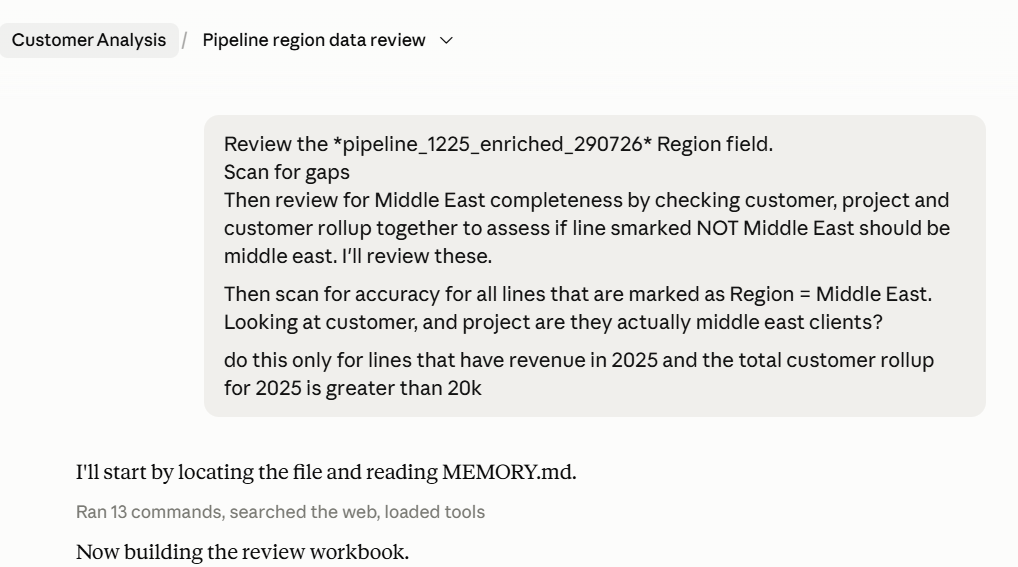
I had a consolidated forecast revenue-by-customer data set used for the FY26 Budget.
Each customer has a ‘Region’ field for the region that customer belongs to, however the local finance teams often don’t populate this correctly, or not at all when submitting their forecast…
I was doing some analysis for our Group’s Middle East exposure and needed to use that Middle East field but knew it wasn’t going to be complete and accurate. Therefore, I used Claude to review the customer field for completeness (lines that should have been marked Middle East but weren’t) and accuracy (lines marked Middle East but that may not be correct).
Why the smarter model was the right call
I used a smart model for this (Opus 4.8 High effort) for this task because it required both judgement and was multi-step.
Anthropic’s documentation talks about how smarter models excel at multi-step task orchestration and where judgement is required. It’s the smartest person in the room who is also really good at multi-tasking.
In my example, judgment was super important because I need the Middle East classification to be as complete and accurate as possible for my analysis.
It was multi-step because Claude had to scan for missing classifications and assess the accuracy of existing ones, within constraints I set
I know it did a good job because its suggestions were correct: the lines it flagged for fixing actually needed fixing. It returned the output as a workbook of items to fix and review, categorised by importance and the model's confidence level.
Would Sonnet or GPT 5.5 (or god forbid, Gemini) have done the job? Based on my previous experiments with similar work, they'd have picked up some of the fixes but been less thorough.
The power of Skills
The audit I mentioned earlier also revealed that most of my Cowork sessions ran through skills with reconciliations, cross checks and self-testing built into the workflow itself so I didn’t need to use the best frontier model.
If you audit your own AI usage, you'll find tasks you're manually prompting more than once that you should turn into a skill. It’s made me more efficient and reduced cognitive strain working with AI, because the workflow is already scoped out with the required context. The model vs effort problem solves itself.
The limitations, real talk
Everything above is Claude-specific. Other tools have equivalent dials but name and expose them differently, so the principle transfers but the button labels won't.
My evidence is my own sessions, not controlled tests. The Middle East example worked, but I didn't rerun it on Sonnet to prove Opus was necessary, even though it wouldn’t have given me a better answer but maybe it would have been “good enough”.
Defaults also move. Effort levels and their defaults may change between model versions, so check what your current model's default is rather than taking mine as gospel.
Conclusion
What you need and what good looks like should determine whether you need a smarter model. For building workbooks from scratch that I'll actually use for analysis, or as the backbone of a presentation, I use the smarter model (but don't use Fable for spreadsheets, please). I mainly use Claude and whatever the latest Opus model is.
For routine work, where I usually have a skill anyway, I use Sonnet. In both cases I use the default effort level, and it's worked great.
Next time you get a dud output, check the context before you blame the model. If the context was solid, ask whether the task needed more effort or more brains, and set the dials accordingly. Let me know how you get on below.
Timon