My favourite workflow in Claude or ChatGPT to learn anything
My favourite way to learn something new is two steps: research, then ELI5. Here's how I use an ELI5 skill in Claude to turn tricky concepts into simple visual explainers, from group KPIs to working capital.


Hello folks,
I wanted to share my favourite way I’ve found to learn new things, or understand hard-to-grasp concepts.
Life’s been busy lately but I thought it was too cool, and useful, not to share.
AI has always been great at producing a bunch of text but what I found to be more valuable, in a way, is the ability to distill information and explore it in alternative ways.
I’ve been using the below process every week at work and in my personal life to learn about things from what a company does, to imprinting the Paris Fashion week calendar in my head (my company Together Group owns a company that produces runway shows).
My workflow is super-simple, it’s:
Research → ELI5
ELI5 is an acronym for “explain it like I’m 5.” You can include it in any AI prompt and it will do just that - explain the thing to you like you’re 5.
Here’s a short animation I made using Claude Motion (which I’ll also expand on at the end):
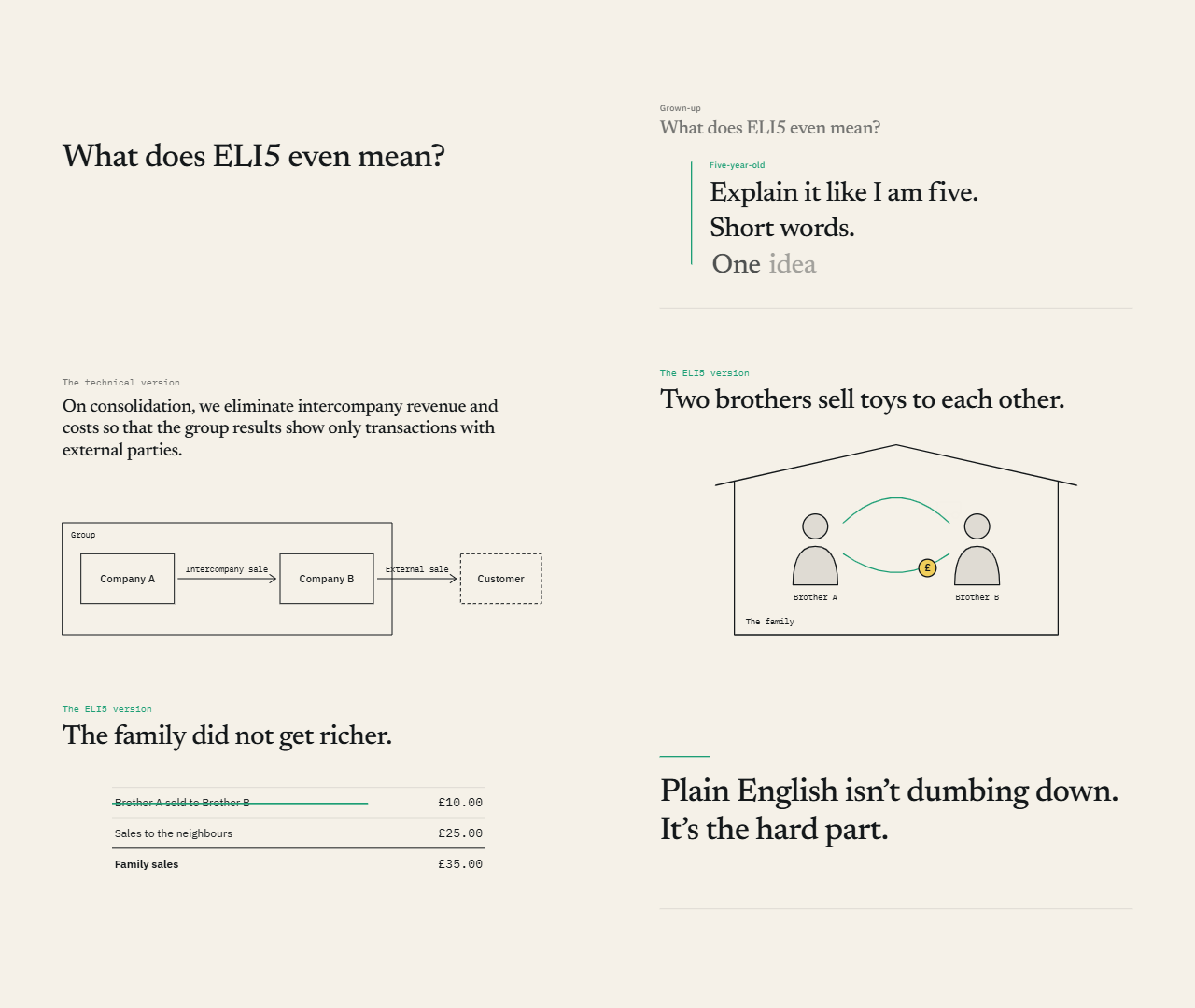
The principle is rooted in the Feynman Technique, made famous by American theoretical physicist and Nobel laureate Richard Feynman, who said that to learn a concept, explain it in plain language as if teaching someone else, identify gaps, revisit the source, and simplify again.
However, I don’t just use ELI5 as a tag in a chat.
A couple of months ago I stumbled upon a popular skill that converts the explanations into cool simple HTML pages with visuals.
If you haven’t used skills before or wanted a refresher, I wrote an article here. If you’re building your own ones, I’ve got a guide on how to build effective ones here.
Ps. You can also find some other cool skills in there too. I recommend watching this video.
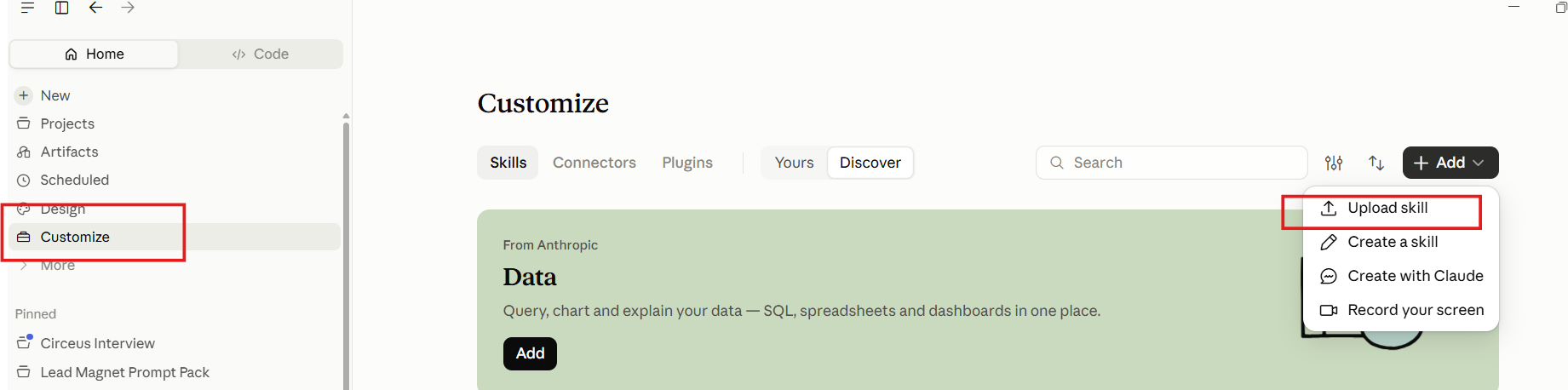
Then just upload it into your AI tool of choice.
For Claude just go Customize → Upload skill.
I’ll show you some examples so you can see what I’m talking about.
When you just want to understand something
Say I wanted to understand the infrastructure behind AI, you know, data centres and stuff:
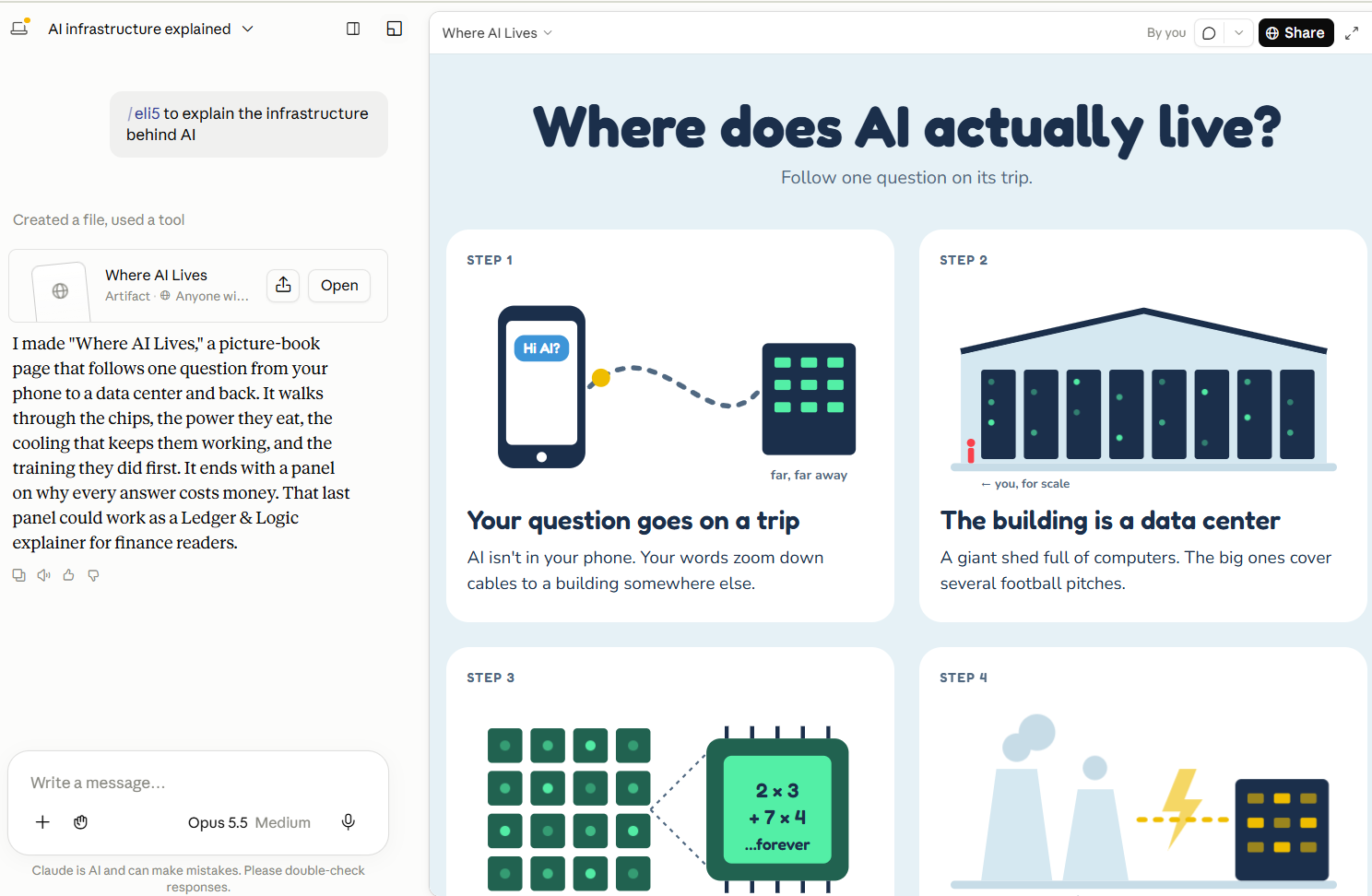
I’ve linked in here if you wanted to see the whole thing.
In another example, one of our agencies does runway shows in Paris but I kept forgetting the French runway show calendar. So ELI5 to the rescue…
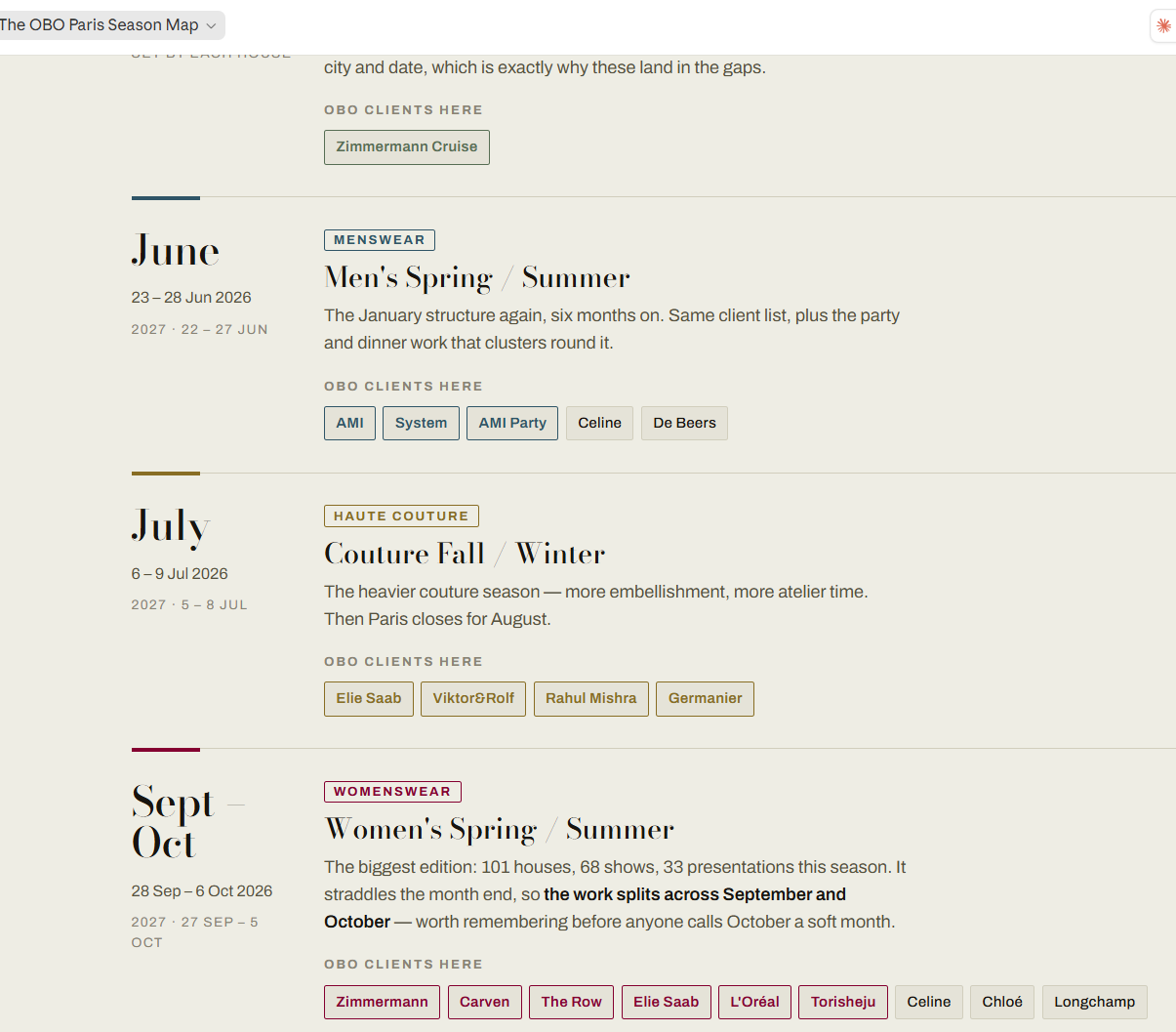
Not only does it help me “see” the calendar but I can refer back to it easily.
When you need to research first, then understand
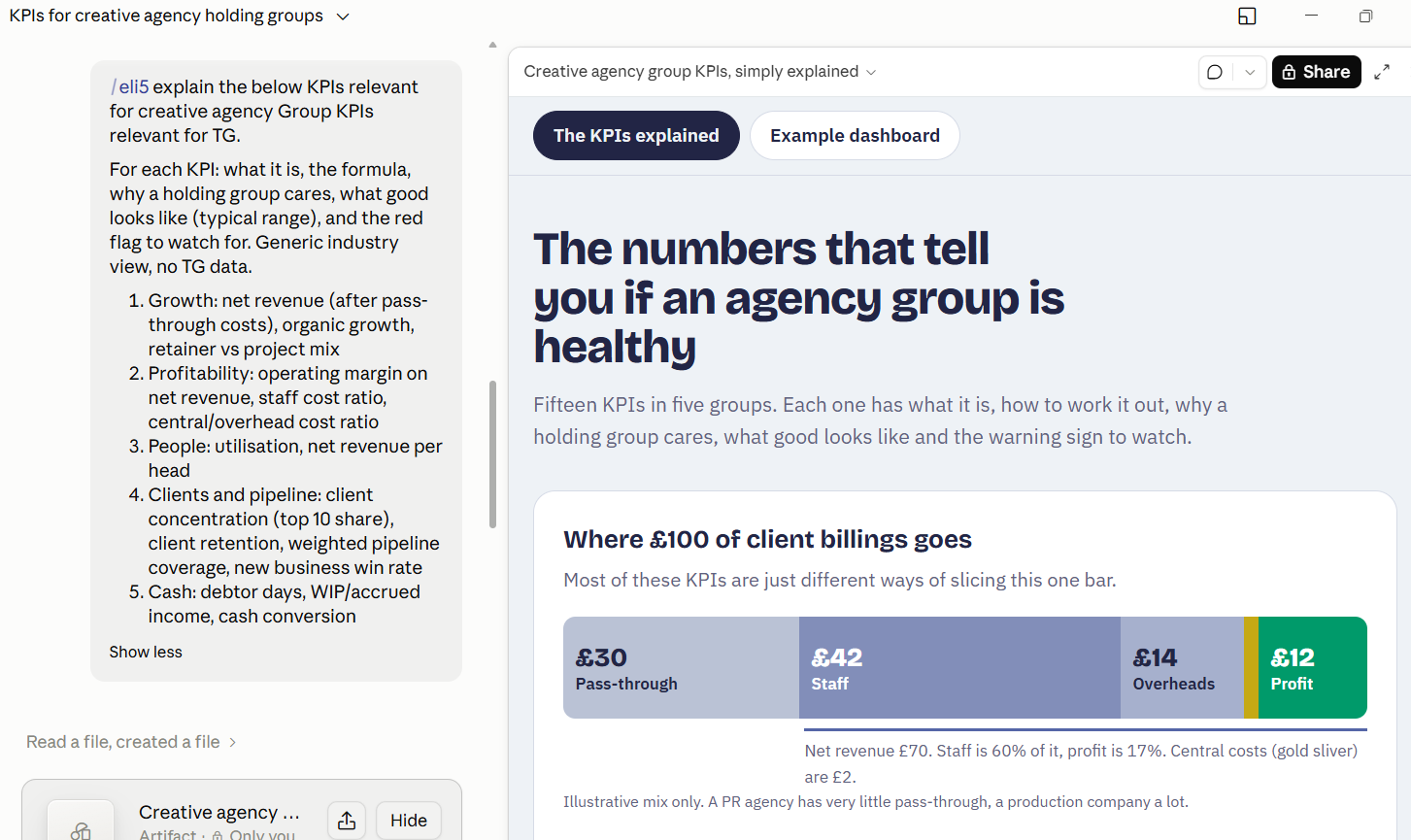
Using a simple example, I was curious what Claude thought were the essential KPIs for a Group like Together Group in the creative and marketing space.
I opened a fresh chat and wrote my simple prompt (I didn’t need to make it detailed because Claude already knows about me, my company and my work via its memory).
The answer made sense but I wanted to visualise it, so I used the ELI5 skill:
My full research process
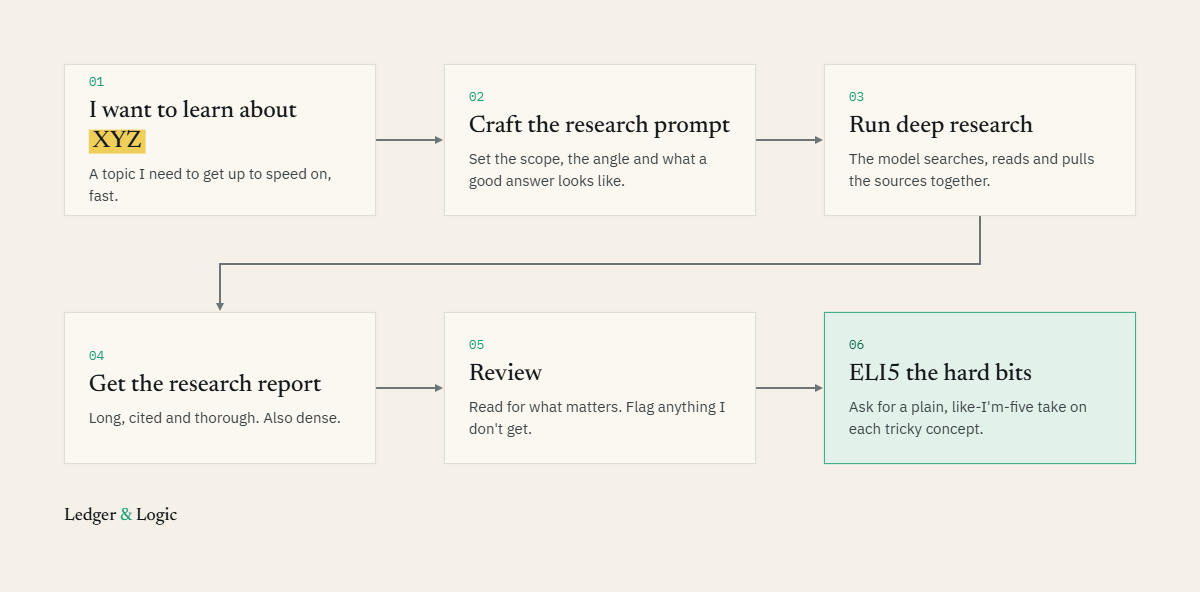
In a slightly more complicated example I wanted a much more detailed analysis.
In cases like this I like to use Deep Research, which is a feature in all the major AI products: ChatGPT Deep Research, Gemini Deep Research, and Claude Deep Research.
Deep research essentially uses agents to scan the web for hundreds of resources around the topic you want.
I like to brain-dump into Claude and ask it to turn that into a structured Deep Research prompt.
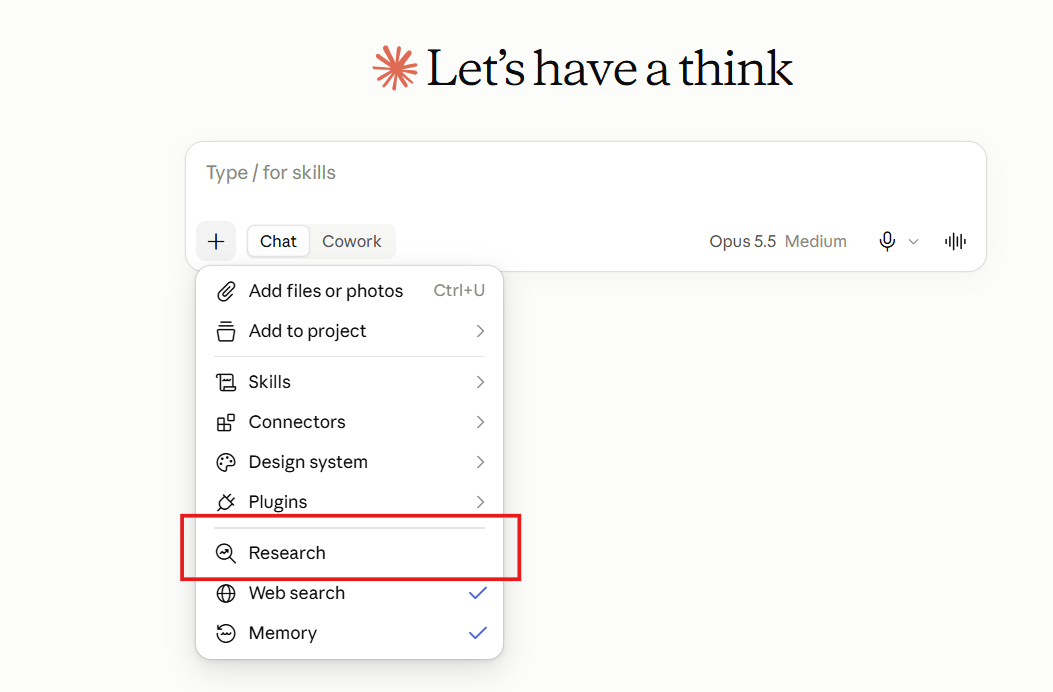
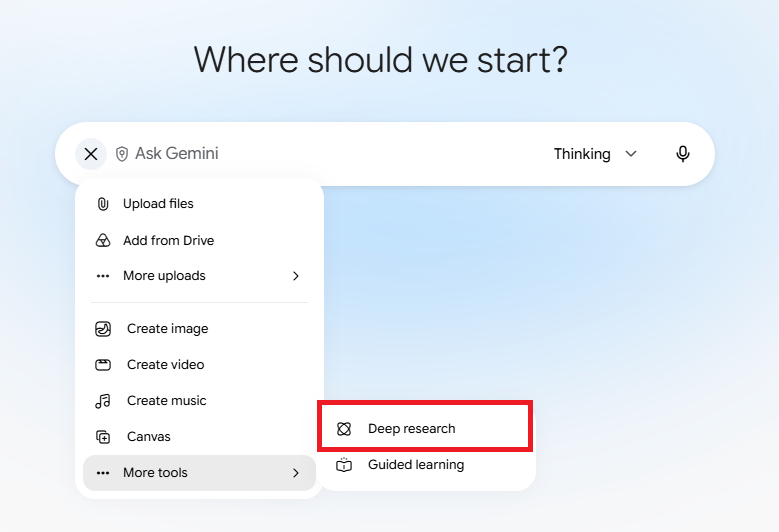
Where to find Deep Research in Claude (left) and Gemini (right)
In my example, I was doing a piece of analysis on working capital and I wanted to understand how comparable listed companies report on working capital.
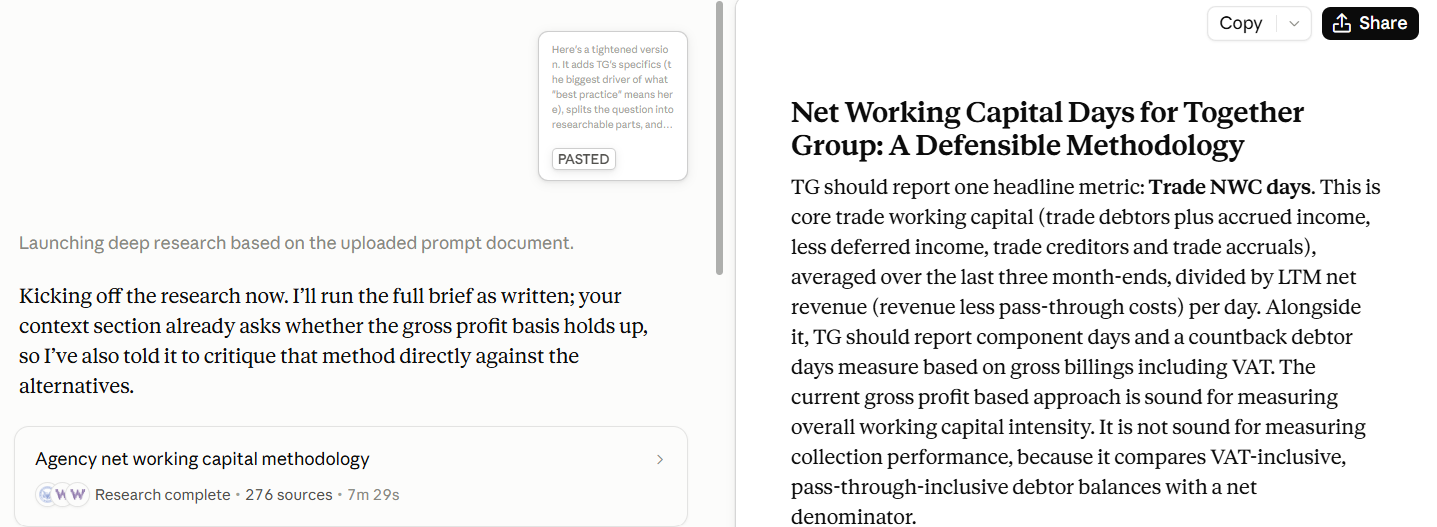
I then reviewed the research report and jotted down questions I wanted to deep dive into or that I didn't fully understand.
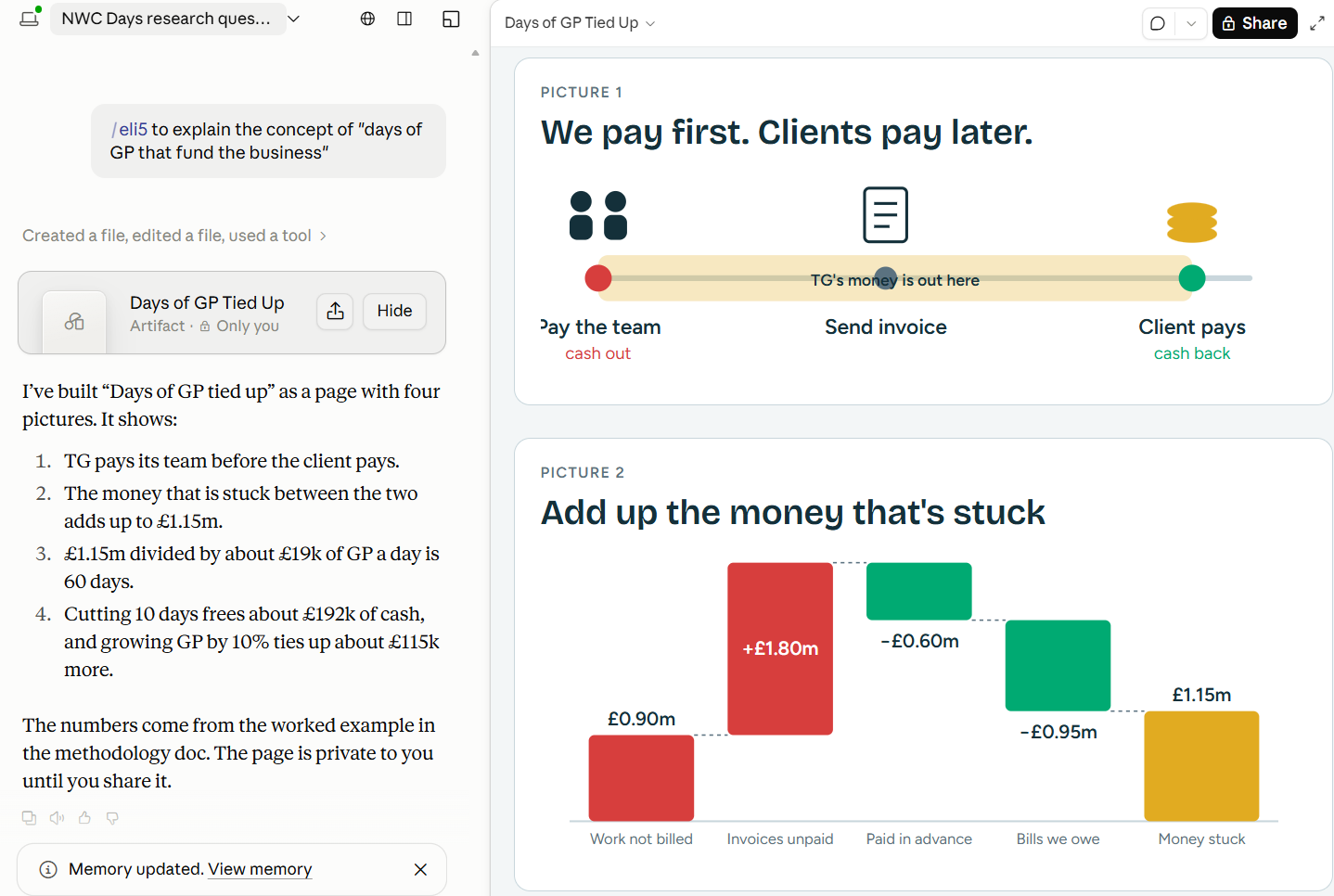
There was one particular concept about gross profit being tied up in net working capital that I wanted to explore. ELI5 to the rescue again:
Claude Motion lets you take it one step further
On October 8 2026 Anthropic announced Claude Motion, which creates cool animation videos of anything.
You can apply the same concepts above for ElI5 with Claude Motion to get a video explanation of whatever you want. That's how I created the ElI5 animation above and you could do it for anything you want to deep dive into, not just for yourself, but to illustrate ideas to other people in your team.
Here’s one I created based on the group KPI example above:
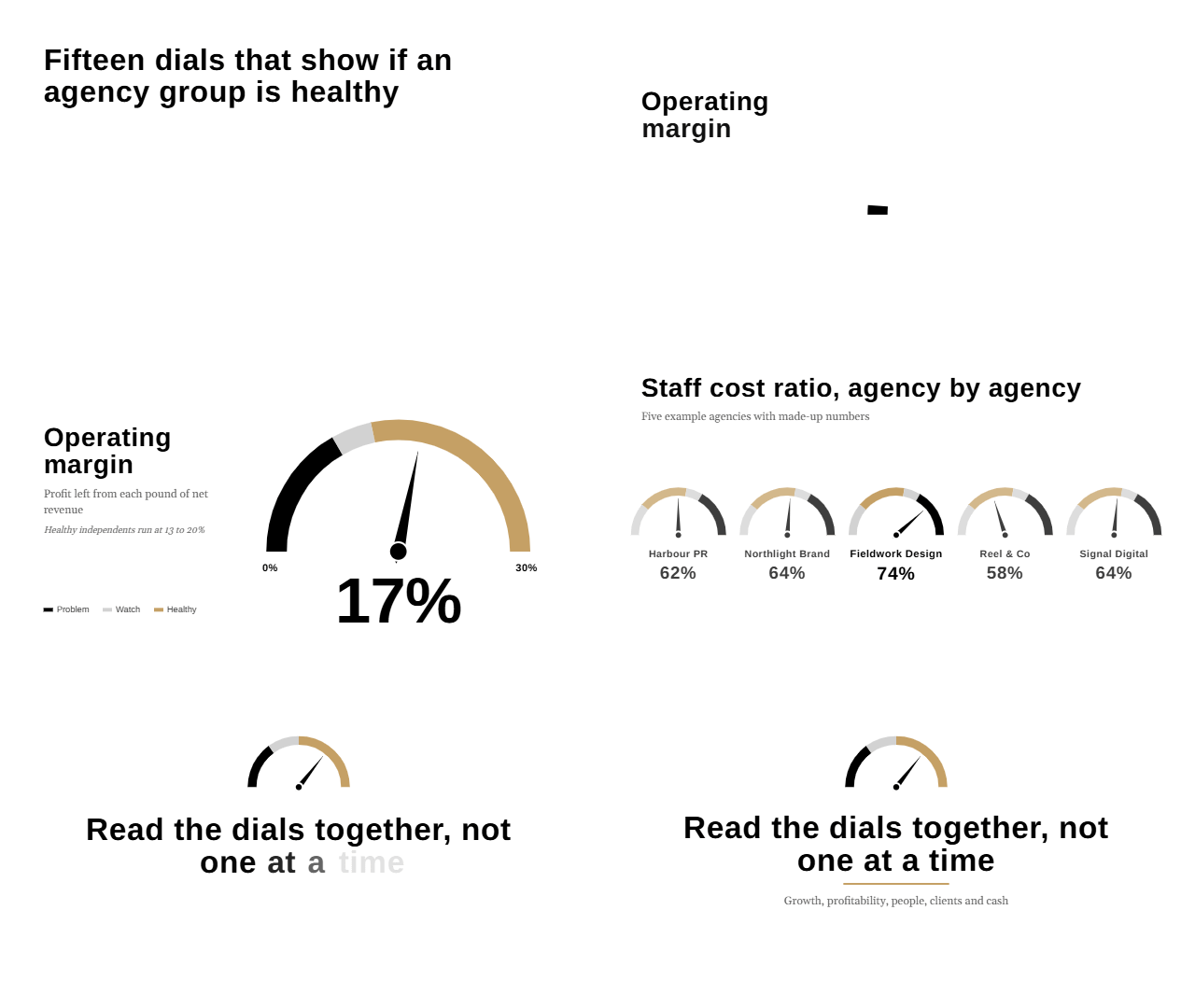
Note that as of today, October 17 2026, Claude Motion is only available in beta on Team and Enterprise plans.
Try it today
We’ve always had tons of information, and now we have the tools to turn it into the format our individual brains actually like, whether that be text, organised differently, audio, pictures, and even video.
Maybe you're curious about the history of Ancient Egypt but don’t want to read the wall of text on Wikipedia, or perhaps you want to better understand the products your company sells.
Pick one thing you've always half-understood and ELI5 it today.
Cheers,
Timon